ScrollView vs FlatList in React Native: Complete Performance Guide 2025
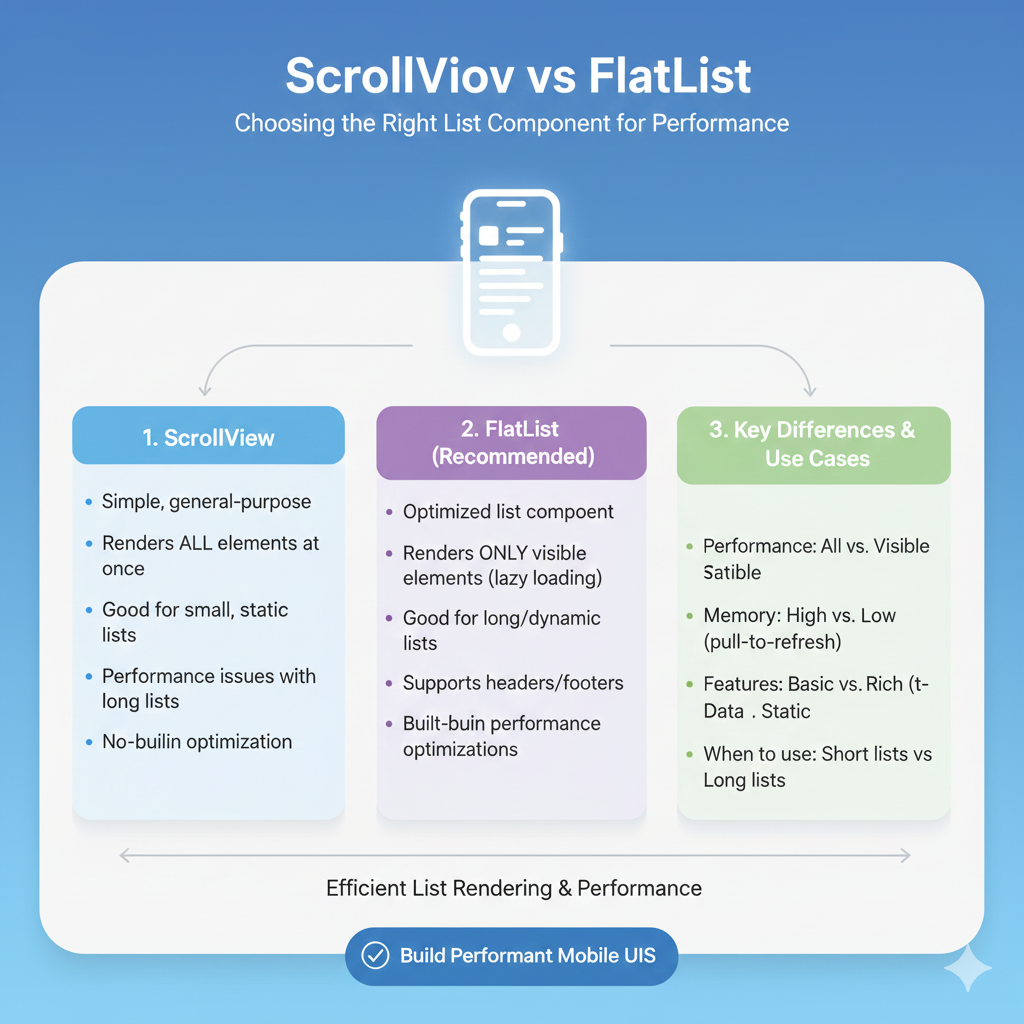
Struggling with React Native list performance? Learn when to use ScrollView vs FlatList with real examples, performance comparisons, and best practices for smooth scrolling.
Ever wondered why your React Native app starts lagging when you add a long list of items? Or why that contact list with thousands of entries feels so sluggish? The culprit might be something as simple as choosing the wrong scrolling component.
In React Native development, the battle between ScrollView and FlatList is a classic one, and picking the wrong one can literally make or break your app's performance.
The Core Difference: Greedy vs Smart Loading
Let's break this down in simple terms: imagine you're at an all-you-can-eat buffet.
ScrollView is that person who piles everything onto their plate at once - even the food they won't eat. It loads all your content immediately, whether it's visible on screen or not. Every component, every element, every bit of data gets rendered upfront.
FlatList, on the other hand, is the smart eater who takes small portions and goes back for more as needed. It only renders what's currently visible on the screen (plus a few off-screen items as buffer), loading more as you scroll. This approach is called "virtualization" - a fancy term for "don't render what you can't see."
When to Use Each Component (Real-World Examples)
Go with ScrollView when:
You're building a settings screen with maybe 10-15 options
Creating a login or registration form that just needs to scroll a bit
Displaying a single article with images and text that's longer than the screen
Building a simple FAQ section with limited questions
Showing a product detail page that has multiple sections
Basically, if your content would fit on 1-3 phone screens max, ScrollView is your friend. It's simple, straightforward, and doesn't overcomplicate things.
javascript
// Simple ScrollView for a settings page
<ScrollView>
  <ProfileSection />
  <NotificationSettings />
  <PrivacyControls />
  <HelpSection />
  <LogoutButton />
</ScrollView>
Choose FlatList when:
You're displaying a contact list (could be thousands of entries)
Building a social media feed that loads continuously
Creating a product catalog in an e-commerce app
Showing chat messages in a messaging app
Displaying search results that could be extensive
The rule of thumb? If your data comes from an API and could potentially be "infinite," always reach for FlatList.
javascript
// FlatList for dynamic content
<FlatList
  data={userContacts}
  keyExtractor={item => item.id}
  renderItem={({item}) => <ContactCard contact={item} />}
  onEndReached={loadMoreContacts}
  ListEmptyComponent={<EmptyState />}
/>
Performance Impact: Numbers Don't Lie
Here's where things get real. According to performance tests, when dealing with 5,000 list items:
ScrollView attempts to render all 5,000 items at once, causing:
Slow initial load times
High memory consumption
Janky, uneven scrolling
FlatList renders only what's visible (typically 10-15 items), resulting in:
Fast initial render
Smooth 60 FPS scrolling
Efficient memory usage
Think about it: your phone has to create 5,000 native views simultaneously with ScrollView versus just 10-15 with FlatList. That's like trying to carry all your groceries in one trip versus making multiple, manageable trips.
Advanced FlatList Features You Should Know
FlatList isn't just about performance - it comes packed with features that make development easier:
Pull-to-refresh - Built right in with the refreshControl prop
Lazy loading - Automatically loads more items as you scroll near the end
List headers/footers - Perfect for search bars or loading indicators
Separator components - Clean dividers between items
Multiple columns - Great for image grids or product displays
But here's a pro tip that many developers miss: if you're dealing with lists where items have dynamic heights (like chat messages with varying text lengths), implement the getItemLayout prop. This tells FlatList the exact height of each item upfront, preventing expensive layout calculations that can cause jank.
Common Pitfalls and How to Avoid Them
ScrollView Mistakes:
Forgetting bounded height: ScrollView needs a defined height. If it doesn't have one, you'll get errors.
Loading hundreds of items: Just because you can doesn't mean you should. Your users will hate the lag.
Using for dynamic content: ScrollView doesn't handle data updates efficiently.
FlatList Gotchas:
Missing
keyExtractor: Always provide unique keys for performance and correct item tracking.Complex render items: Keep your item components lightweight. Complex calculations in
renderItemwill kill performance.Ignoring
initialNumToRender: For very long lists, adjust this to balance initial load vs. smooth scrolling.
The Next Level: Beyond FlatList
While FlatList is fantastic, there's an even more performant alternative gaining traction: FlashList from Shopify. It takes recycling to the next level and can handle even more demanding use cases. But for 90% of apps, mastering FlatList will serve you perfectly.
The Bottom Line: A Quick Decision Guide
Ask yourself these questions:
How many items? < 30 → ScrollView, > 30 → FlatList
Dynamic or static data? Dynamic → FlatList, Static → Either
Need built-in features? (pull-to-refresh, infinite scroll) → FlatList
Simple layout with mixed components? → ScrollView
Performance critical? → Always FlatList for lists
Remember, React Native gives you the tools, but you need to use them wisely. A poorly chosen scrolling component is one of the most common performance bottlenecks in mobile apps.
Level Up Your React Native Skills
Choosing between ScrollView and FlatList is just one piece of the React Native puzzle. To really master mobile development and build performant, production-ready apps, you need comprehensive training.
To learn professional software development courses such as Python Programming, Full Stack Development, and MERN Stack, visit and enroll today at codercrafter.in. Our React Native specialization course dives deep into performance optimization, native module integration, and advanced patterns used by top tech companies.
FAQ
Q: Can I nest a FlatList inside a ScrollView?
A: Technically yes, but please don't. The scrolling conflicts create a terrible user experience. If you need this, you probably need to rethink your layout.
Q: What about SectionList?
A: Great question! SectionList is like FlatList's organized cousin - perfect for contact lists with alphabet headers or categorized content. It's built on the same virtualization principles.
Q: My FlatList shows blank spaces while scrolling fast. Help!
A: This usually means your item components are too complex to render quickly. Simplify them, implement getItemLayout, or consider FlashList for extreme cases.
Q: Is ScrollView ever better for performance?
A: For tiny lists (think 5-10 simple items), ScrollView might actually be slightly faster since it avoids virtualization overhead. But we're talking milliseconds.
Q: Can I use FlatList for horizontal scrolling?
A: Absolutely! Just set horizontal={true} and you've got a performant horizontal scroller.









