Web Push vs Mobile Push 2025: Key Differences & Best Practices for Engagement
Confused about web push vs mobile push? Our 2025 guide breaks down pros, cons, use cases, and data-backed best practices to boost your click-through rates.
Let’s be honest, our phones are buzzing non-stop. The average smartphone user in the US gets 46 push notifications a day. In that constant stream of pings, how do you make sure your message gets noticed, clicked, and acted on?
The answer isn't just about sending more notifications—it’s about sending the right kind through the right channel. That’s where the web push vs. mobile push debate comes in. They might sound similar, but choosing the wrong one for your strategy can mean the difference between a loyal subscriber and an annoyed user who disables your alerts.
In this guide, we’ll break down the tech, the strategy, and the real-world use cases so you can decide which push notification powerhouse is right for your goals.
The Core Difference: App vs. Browser
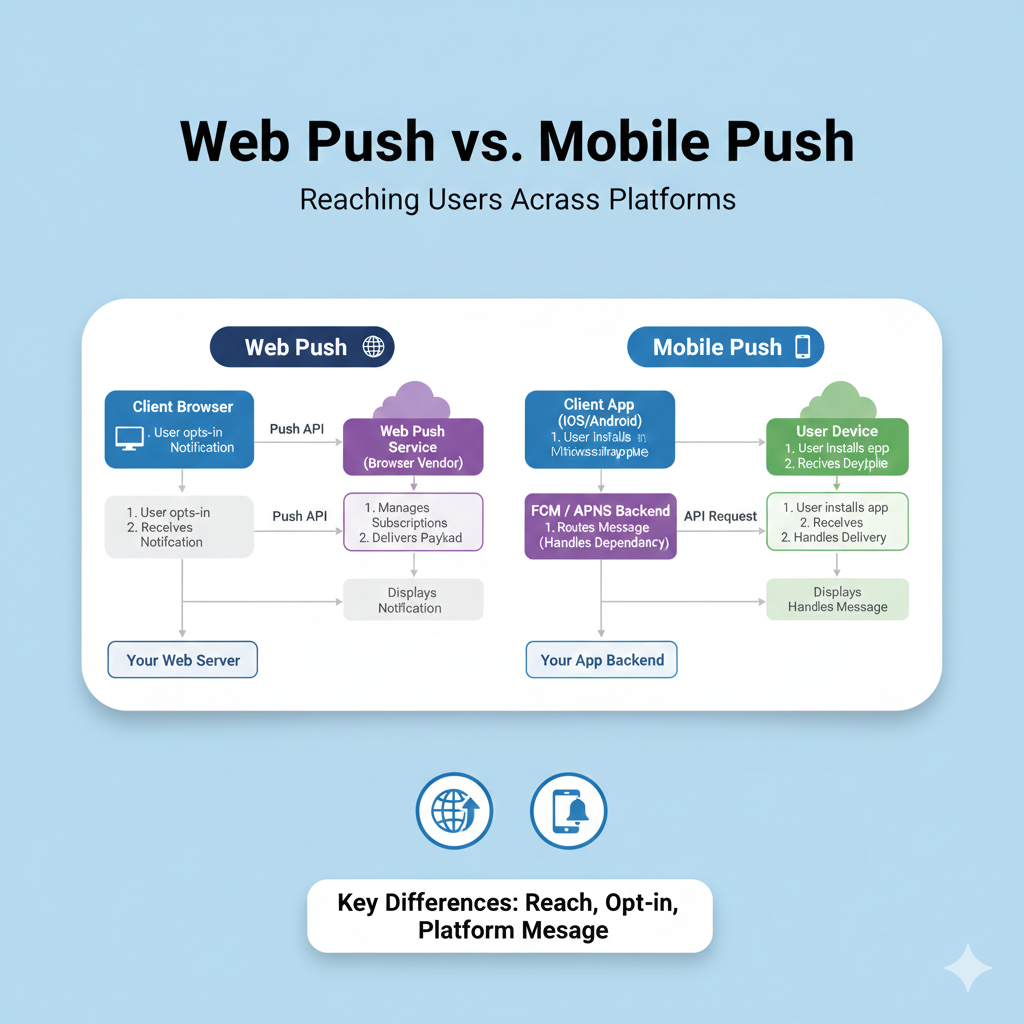
At its heart, the split is simple: mobile push is tied to an app, while web push is tied to a browser.
Mobile Push Notifications are the classic alerts you know from your phone. They’re sent from a dedicated app through your device’s operating system (like Apple’s APNs or Google’s FCM) and pop up on your lock screen. To get them, you must download an app and grant it permission.
Web Push Notifications are the newer kid on the block. These are sent by a website directly to your browser (like Chrome or Safari), and they can appear on both desktop and mobile screens. No app download needed—just a visit to a website and a one-click permission grant.
Think of it this way: A shopping app alerting you that your order is out for delivery uses mobile push. A news website alerting you to a breaking story on your laptop uses web push.
Breaking Down the Heavyweights: Pros, Cons, and Perfect Use Cases
Let's get into the nitty-gritty of each to see where they shine.
📱 Mobile Push Notifications: The Deep Engagement Tool
The Good:
Rich & Interactive: They support images, action buttons, and even quick-reply features, creating a richer experience.
Highly Targeted: Because they live within an app, they can leverage deep user data (purchase history, in-app behavior) for hyper-personalized messages. Statistics show advanced targeting can improve reaction rates by 300%.
High Retention Potential: They’re perfect for keeping your app top-of-mind and reducing user churn.
The Not-So-Good:
High Barrier to Entry: You need to convince users to download your app first, which is a significant hurdle.
Costly & Complex: Requires ongoing app development, maintenance, and updates.
Perfect For: Businesses with an established app where deep, personalized interaction is key. Think:
Banking apps sending fraud alerts.
Fitness apps reminding you of a workout streak.
Gaming apps announcing a new challenge or reward.
🖥️ Web Push Notifications: The Broad-Reach Workhorse
The Good:
Instant Audience, No App Needed: You can start building a subscriber list from day one from your website traffic. The opt-in process is frictionless.
Cross-Platform Magic: Reach users on desktops, laptops, tablets, and smartphones with a single tool.
Cost-Effective & Quick to Launch: Implementation is generally faster and cheaper than developing and maintaining a full app.
The Not-So-Good:
Browser-Dependent: Functionality can vary slightly between Chrome, Safari, etc..
Less "Rich": While improving, they traditionally offer slightly less interactive richness than their mobile app counterparts.
Perfect For: Websites that want to build a direct communication channel without the friction of an app.
E-commerce stores recovering abandoned carts or announcing flash sales.
News & Media portals sending breaking news alerts.
Bloggers & Content Creators notifying subscribers of new posts.
The Ultimate Showdown: Key Differences at a Glance
Feature | Mobile Push Notifications | Web Push Notifications |
|---|---|---|
Delivery Platform | Mobile Operating System (iOS/Android) | Web Browser (Chrome, Safari, etc.) |
Requirement | User must install a dedicated app | User must simply visit a website |
Opt-In Process | App permission request (during/after install) | Browser permission prompt (on website visit) |
Primary Strength | Deep personalization & user retention | Broad reach & low-friction subscription |
Ideal For | Engaging existing app users with rich experiences | Converting website visitors into engaged subscribers |
Best Practices to Make Your Notifications Un-ignorable (For Both Types!)
No matter which channel you use, these principles from the pros will skyrocket your engagement.
1. Master the Opt-In: Don't Ask Too Early
The worst thing you can do is blast a generic "Allow Notifications?" pop-up the second someone lands on your site or opens your app. Build value first. Explain what’s in it for them—exclusive deals, crucial updates, or personalized content. One study suggests using a "pre-permission" prompt to warm users up before the official system request.
2. Personalize or Perish
"Hey [Name], your favorite item is back in stock!" performs infinitely better than a generic "New Sale!". Use data. Segment your audience. A travel site can send different alerts to beach lovers versus ski enthusiasts. Personalization isn't just a nice-to-have; data indicates it can improve reaction rates by 400%.
3. Perfect Your Copy: Be Clear, Concise, and Compelling
Headline is King: You have about 50 characters. Use them to spark curiosity or state clear value.
Add Value Fast: Lead with the benefit—discount, update, alert.
Use a Strong CTA: Tell users exactly what to do: "Claim Offer," "Read Now," "Finish Setup."
Emojis & Rich Media: A relevant emoji or a compelling image (a "rich notification") can increase click-through rates by 5-25%.
4. Timing is Everything (And So is Frequency)
Sending a promotion at 3 AM is a great way to get notifications disabled. Use analytics to find when your users are most active. Respect their attention: sending 3-6 pushes a week can cause 40% of users to disable notifications. Quality always trumps quantity.
5. Make Them Actionable
The best notifications solve a problem or fulfill a need in the moment. They are triggered by user behavior:
Abandoned cart reminder
Price drop alert on a viewed item
"Your order is 8 minutes away" update
Want to master the technical execution behind these strategies? Understanding the full software stack is key. To learn professional software development courses such as Python Programming, Full Stack Development, and MERN Stack, visit and enroll today at codercrafter.in.
FAQs: Your Push Notification Questions, Answered
Q: Which one has a better click-through rate (CTR)?
A: It varies by industry and platform, but averages are relatively similar, often in the 3-8% range. Mobile push can leverage deeper personalization for higher potential, while web push benefits from ease of access. The real CTR booster is relevance, not the channel itself.
Q: Can I use both?
A: Absolutely! This is often the most powerful strategy. Use web push to capture a wide audience from your website and nurture them. Then, use those notifications to promote the added benefits of your mobile app (like exclusive features or a better experience). Once they download the app, you can engage them with more personalized mobile pushes.
Q: What's the biggest mistake brands make?
A: Being spammy. Sending too many notifications, sending irrelevant broadcasts, and not providing clear value will quickly erode trust. Remember, users are in control. Every notification should feel like a helpful nudge, not an interruption.
The Bottom Line: It’s About Your User’s Journey
The choice between web push and mobile push isn't about which technology is better. It's about where your audience is and what experience you want to provide.
Choose Web Push Notifications if you want to build a direct, low-friction channel with your website audience, drive timely traffic, and promote conversions.
Choose Mobile Push Notifications if you have a dedicated app user base and want to foster deep engagement with rich, personalized, and interactive experiences.
In 2025, the most successful brands don't choose one or the other—they understand both. They use web push as a powerful top-of-funnel tool and mobile push as a deep-engagement engine, creating a seamless communication highway that respects the user’s attention and delivers genuine value at every step.









