Dynamic Module-Based UI: The Complete Guide to Future-Proof Frontends | CoderCrafter
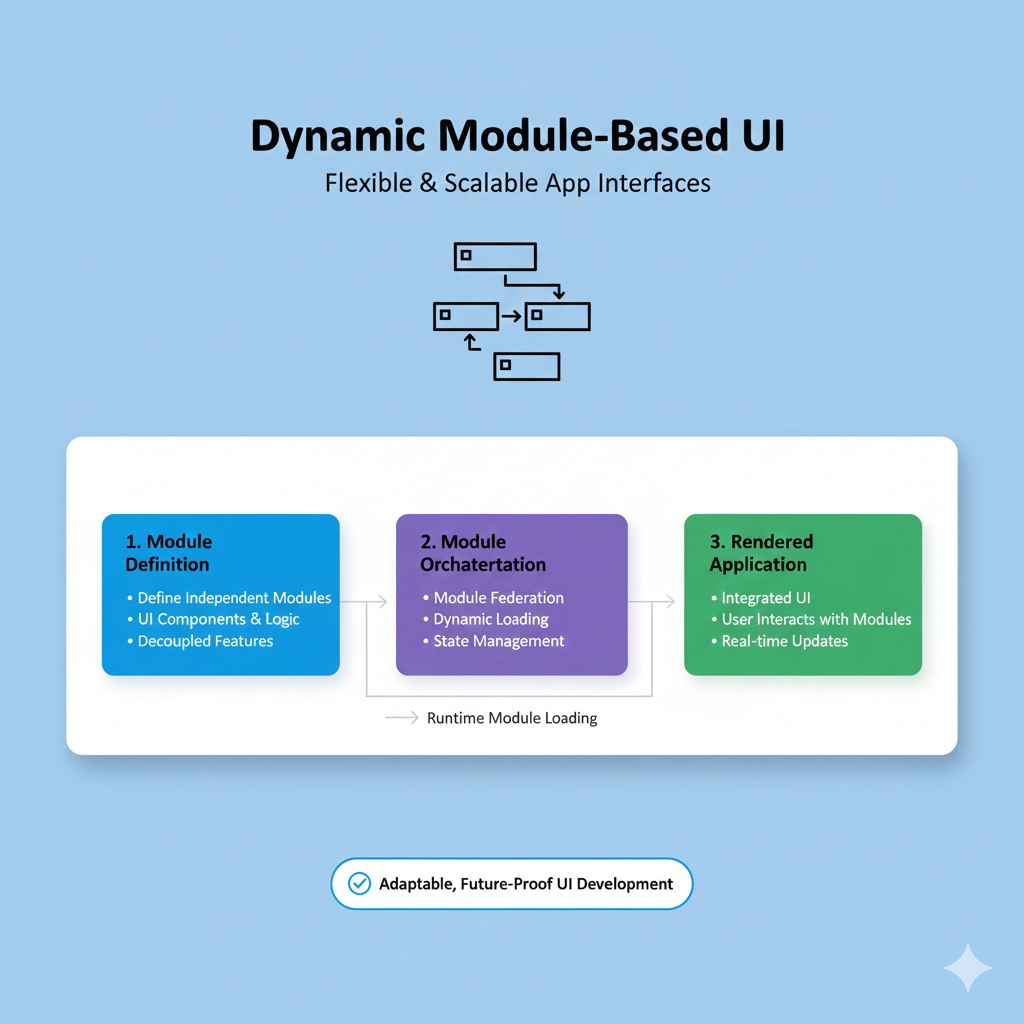
Tired of fragile UI code? Master Dynamic Module-Based UI. Learn definitions, real examples, implementation with React/Webpack, best practices, and FAQs. Build scalable, modular applications. Enroll in expert dev courses at CoderCrafter.
Ever feel like your app’s user interface is a giant, unmovable block of code? You add one new feature, and three others break. You try to update a button style, and you’re scrolling through thousands of lines. It’s exhausting. What if you could build UIs like LEGO—snapping together independent, self-contained pieces that just work? Welcome to the world of Dynamic Module-Based UI. This isn't just another tech buzzword; it's a game-changing approach that’s reshaping how we think about frontend development. Let's break it down.
What Exactly is Dynamic Module-Based UI?
In the simplest terms, think of a Module-Based UI as a collection of independent, reusable building blocks. Each block (or "module") is responsible for one specific piece of your interface and its functionality. It’s like an app within your app.
Now, add the word Dynamic. This means these modules aren’t just hardcoded into your page. They can be loaded, unloaded, swapped, or rearranged on the fly, based on user actions, permissions, data, or any other condition. The UI becomes fluid, adaptable, and incredibly efficient.
Core Concepts in Plain English:
Module: A self-contained unit (e.g., a user profile card, a shopping cart, a live chart, a comment section). It has its own HTML/CSS/JS, data logic, and API calls.
Dynamic Loading: Fetching and rendering a module only when it’s needed (a.k.a. lazy loading). Your app doesn’t load everything upfront.
Isolation: Modules shouldn’t crash each other. A bug in the "news feed" shouldn’t take down the "navigation bar."
Composition: The parent app (often called the "shell" or "container") is the orchestra conductor, deciding which modules to load and where to place them.
Why Should You Care? Real-World Examples
This isn't just academic theory. You interact with Module-Based UIs daily.
1. Your Dashboard Experience (Like Google Workspace or Shopify Admin)
Every widget—your Gmail preview, Google Drive storage, Calendar agenda—is a separate module. You can often drag them around, remove what you don’t need, or add new ones. The platform dynamically loads these pieces based on your configuration.
2. E-commerce Product Pages
Think of a page on Amazon. The "Buy Now" box, the "Customers also bought" carousel, the review section, the Q&A—these are often managed as distinct modules. They can be A/B tested independently, updated without a full page redeploy, or even turned off for certain regions.
3. Micro-Frontend Architecture
This is where Module-Based UI shines for large teams. Instead of one massive React/Angular/Vue app, the platform is split into domain-based modules owned by different teams (Team "Checkout" owns the cart module, Team "Auth" owns the login module). They develop and deploy independently.
How to Actually Implement It: A Peek Under the Hood
You've got a few solid options, depending on your stack and scale.
1. Framework-Based Component Systems (The "Entry-Level" Approach)
Modern frameworks are built for this conceptually. In React, every component can be a module. Tools like React.lazy() and Suspense allow for dynamic loading.
javascript
const ProductRecommendations = React.lazy(() => import('./ProductRecommendations'));
// Loads only when this component is rendered
It’s a great start, but you’re still within one build system.
2. Module Federation (The Game-Changer)
This is a Webpack 5 feature that’s causing a huge shift. It allows a JavaScript application to dynamically run code from another bundle/build, at runtime. Different apps can share libraries and expose modules to each other. It’s the technical backbone for true micro-frontends.
3. Web Components (The Native, Framework-Agnostic Way)
These are browser standards (<custom-elements>, Shadow DOM). You can create truly framework-independent modules that work anywhere HTML works. They offer maximum isolation with the Shadow DOM. Libraries like Lit make building with them a breeze.
4. Iframe (The Old-School, But Still Valid, Way)
The original "module." It offers perfect isolation in terms of CSS and JS. The downsides? Clunky UX, communication challenges between frames, and SEO drawbacks. It’s a viable solution for very isolated pieces (like a third-party payment widget).
Best Practices to Not Screw It Up
Jumping in without a plan is a recipe for chaos. Here’s how to do it right:
Design a Clear Contract: Define strict APIs for how modules communicate with the shell and with each other (use custom events or a state management library). Keep data flow predictable.
Centralize Shared Dependencies: Don’t let each module bundle React separately. Use your module system (like Module Federation) to share common libraries. This saves on bundle size.
Establish a Design System: This is non-negotiable. Use tools like Storybook. All modules must share common tokens for colors, typography, and spacing, or your UI will look like a patchwork quilt.
Version and Test Rigorously: Since modules can be deployed independently, you need strong versioning and integration testing to ensure the new "v2.1.0" of the cart module doesn’t break the "v1.5.0" header module.
Plan for Failure: What happens if a module fails to load? Have graceful fallback UIs and error boundaries in place.
The Flip Side: Challenges to Consider
It’s not all sunshine and rainbows.
Increased Complexity: You’re managing a distributed system now. Tooling, CI/CD, and monitoring get more complicated.
Performance Overhead: If not done carefully, the network calls for many small modules can hurt performance. Use smart pre-fetching and bundling strategies.
Consistency Struggle: Without strict discipline, UI/UX can diverge across teams. That design system is your bible.
FAQ Section
Q: Is this only for giant enterprises like Netflix or Amazon?
A: Not at all! Even medium-sized apps benefit. The moment you have distinct, reusable features or multiple teams, this pattern can save time and headaches.
Q: Does it help with SEO?
A: It can, but you must be careful. Since content is loaded dynamically, you need to implement Server-Side Rendering (SSR) or Static Site Generation (SSG) for your critical modules to ensure search engines can see the content.
Q: Can I mix and match frameworks? (React + Vue + Angular)
A: Technically, yes (especially with Web Components or Module Federation). But should you? Probably not for a new project. The operational complexity often outweighs the benefits. It’s more useful for large companies slowly migrating from one legacy framework to another.
Q: What’s the learning curve?
A: If you're comfortable with component architecture and modern JavaScript, the concepts are straightforward. Tools like Module Federation have a learning curve, but the payoff is massive.
Wrapping Up: The Future is Modular
Dynamic Module-Based UI is more than a pattern; it's a philosophy for building resilient, scalable, and maintainable applications in an era of ever-increasing complexity. It empowers teams to move fast, own their pieces, and deliver value to users without stepping on each other's toes.
Starting your journey with modular architecture requires a strong foundation in modern software engineering principles. It’s about thinking in systems, not just in components.
To learn professional software development courses that dive deep into architectural patterns like this, along with hands-on training in Python Programming, Full Stack Development, and the MERN Stack, visit and enroll today at codercrafter.in. Building robust, industry-ready applications is exactly what we prepare you for. And while you're there, check out our handy developer tools, like our CMYK to RGB color converter, to streamline your workflow.
The web is moving away from monoliths. By embracing modularity, you're not just writing cleaner code—you're building for the future. Now, go break that monolith into pieces that can evolve on their own









