SectionList React Native: Complete Guide with Real Examples
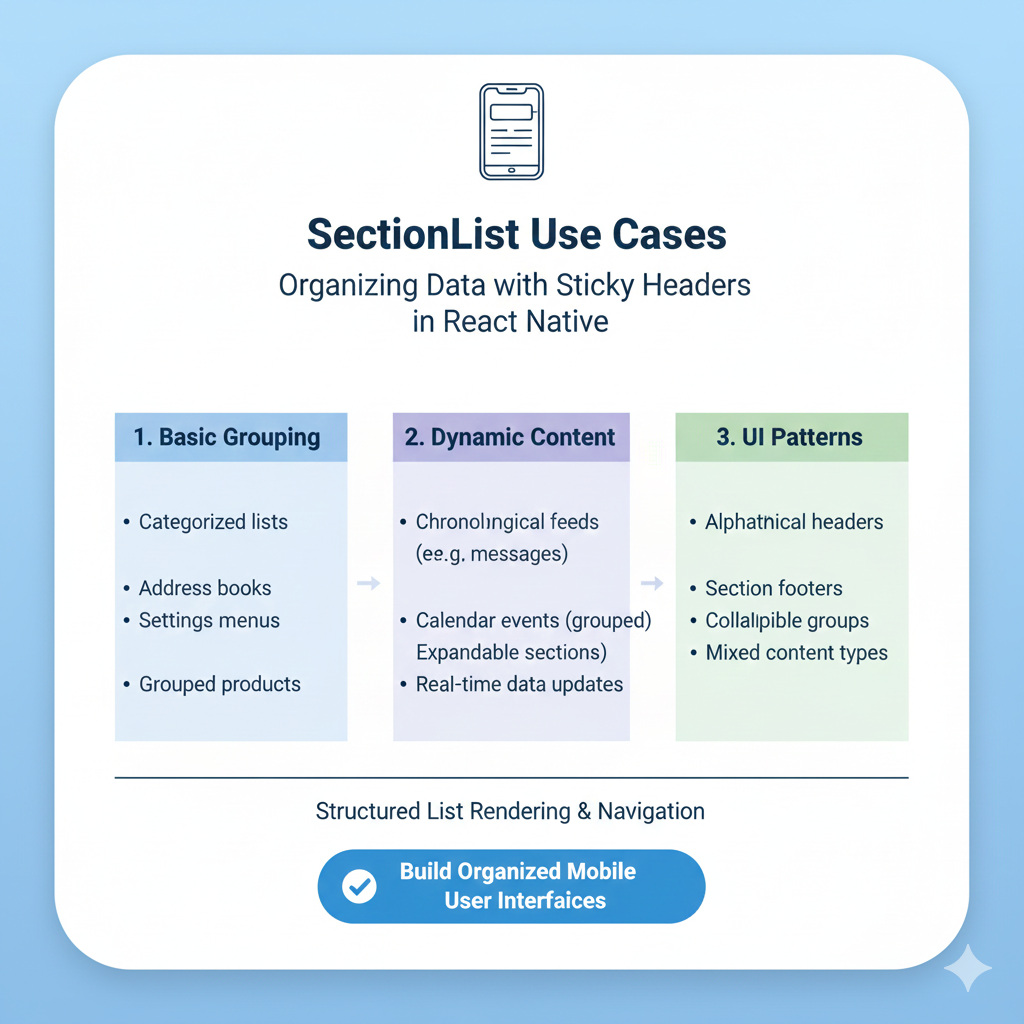
Master React Native SectionList with this in-depth guide. Learn practical use cases, advanced patterns, performance tips, and best practices for building professional mobile apps.
What Even Is a SectionList, Anyway?
So you're building a React Native app and you hit that point where a basic FlatList just doesn't cut it anymore. You've got data that's naturally grouped—maybe categories of products, dates with events, or departments with employees. That's where SectionList swoops in to save your day.
Think of SectionList as FlatList's more organized older sibling. While FlatList shows a single stream of items (perfect for your Instagram feed), SectionList adds sections with headers, letting you structure data logically. It's that beautiful grouped list you see in your phone's settings app or in food delivery apps showing "Appetizers," "Main Courses," and "Desserts" as separate groups.
The magic happens with just two key props: sections (your structured data) and renderItem (how to show each piece). Suddenly, you're not just displaying items—you're telling a structured story with your data.
Real Talk: When You Actually Need SectionList
1. The E-commerce MVP
Picture this: You're building the next big shopping app (maybe after taking that Full Stack Development course you've been eyeing). Your product catalog isn't just a massive list of 500 items—that's overwhelming. You need categories: "Trending Now," "Under ₹499," "Back to College," "Just Dropped."
With SectionList, each category gets its own visual header. Users can quickly scan, find what they need, and actually enjoy the experience. It's the difference between a cluttered digital flea market and a curated boutique. Big players like Amazon use this pattern extensively for a reason—it converts browsers into buyers.
2. Social Feeds with Context
Anyone building a social platform knows content needs context. A simple chronological feed gets messy fast. SectionList lets you create those "Posts from Friends," "Popular in Your Area," and "Suggested for You" sections seamlessly.
Instagram's feed, while complex, follows similar grouping principles—different content types, different visual treatments, all in one scrollable view. When you're learning to build these interfaces, understanding SectionList is like getting a secret weapon for creating engaging user experiences.
3. Enterprise Dashboards That Don't Suck
Internal business apps are notorious for being painfully boring. But what if your employee directory showed teams with clear section headers? Or your analytics dashboard grouped metrics by "Sales," "User Engagement," and "System Health"?
Airbnb's host dashboard uses similar patterns to show different types of information—upcoming bookings, performance metrics, and maintenance tasks—all in one organized view. This isn't just about looks; it's about helping people process information faster and make better decisions.
Level Up: Advanced SectionList Patterns
The Collapsible Magic Trick
Here's where things get really interesting. Implementing expandable/collapsible sections (think FAQ pages or settings with advanced options) takes your UX from good to "wow."
The trick? Manage a state that tracks which sections are open/closed, then conditionally render items based on that state. When a user taps a header, you update the state, and SectionList efficiently re-renders just what's needed. It feels magical but follows React's core principles.
Search That Actually Works with Sections
Adding search to a SectionList is where many developers stumble. You can't just filter items—you need to:
Filter items within each section
Remove entire sections if they have no matching items
Maintain the section header structure in results
The cleanest approach is creating a filtered copy of your sections data, removing empty sections, and passing that to the SectionList. When the search clears, you swap back to the original data. It's a pattern used in apps like Spotify when browsing playlists by category.
Performance on Older Phones
Here's the reality check: A SectionList with 1000+ items across 50 sections can chug on lower-end devices if you're not careful. The wins come from:
keyExtractordone right (unique keys per item, not just per section)initialNumToRenderset to just what fills the screenwindowSizereduced from default if you have very complex itemsmaxToRenderPerBatchandupdateCellsBatchingPeriodtuned for your content
Remember that performance optimization isn't premature optimization—it's respect for your users' devices and data plans.
Common "Wait, What?" Moments (And How to Fix Them)
"My headers are jumping around during scroll!"
You're probably missing stickySectionHeadersEnabled={false} or dealing with height calculation issues. Make sure your headers have consistent heights or implement getItemLayout for pixel-perfect control.
"The bottom section gets cut off by my tab bar!"
Ah, the classic React Native navigation vs. scroll view clash. Wrap your SectionList in a SafeAreaView or use contentInsetAdjustmentBehavior="automatic" (iOS) and check your bottom padding.
"How do I add spacing between sections?"
SectionList doesn't have a built-in prop for this (surprisingly). Your options: add margin to the last item of each section, use a custom SectionSeparatorComponent, or add spacing views as items (less ideal for performance).
The SectionList Mindset Shift
Here's what separates good React Native developers from great ones: understanding that SectionList isn't just a component—it's a data organization philosophy.
When you start thinking in sections, you start designing better APIs (returning grouped data from your backend), creating better state structures, and building interfaces that match how humans actually process information.
The companies getting this right—the Instagrams, Spotifys, and Airbnbs of the world—don't just have great designers. They have developers who understand that technical implementation and user psychology are two sides of the same coin.
Your Next Steps
Whether you're building your first React Native app or optimizing an existing one, SectionList mastery is a career milestone. It's one of those skills that interviewers love to see because it demonstrates you understand both React Native specifics and broader UX principles.
Ready to build apps that don't just work but delight users? This is exactly the kind of practical, in-demand skill we focus on at CoderCrafter. Whether you're starting with Python Programming or diving deep into Full Stack Development with the MERN Stack, we bridge the gap between theory and what companies actually need. Visit codercrafter.in today to see how our project-based approach can fast-track your development career.
The best developers aren't just writing code—they're solving human problems with elegant technical solutions. And sometimes, the most elegant solution is a well-implemented SectionList that makes someone's daily task just a little bit easier.









