Master the Fetch API: A No-Fluff Guide for Modern Web Developers
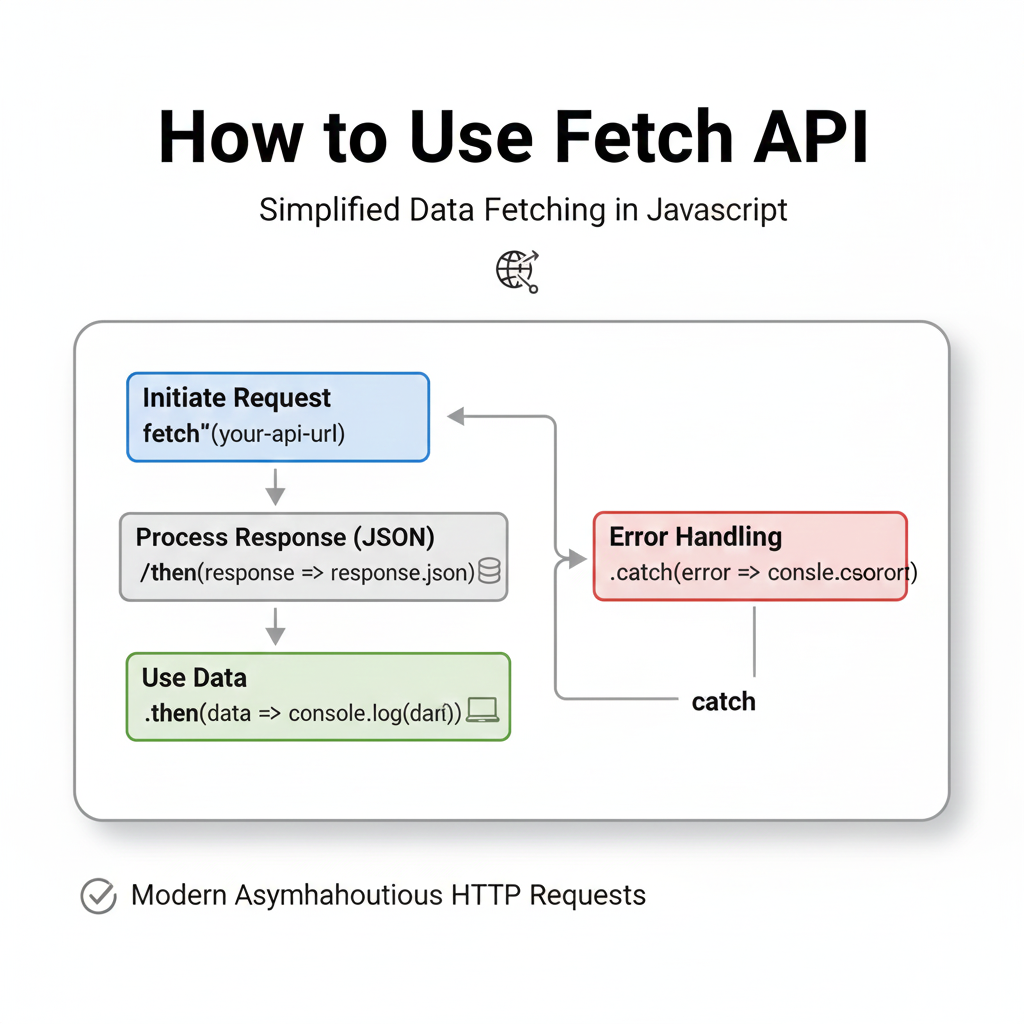
Want to use the Fetch API like a pro? This in-depth, beginner-friendly guide breaks down how to use Fetch API with real code, practical use cases, and best practices. Level up your web dev skills today!
Fetch API 101: Your Gateway to Talking to the Web (No Ancient XMLHttpRequest Drama)
Alright, let's cut to the chase. You're building a web app. It looks slick. But it's... quiet. It's just sitting there. To make it alive, it needs to talk to the outside world—grab some data, send a form, update your profile. That's where Fetch API comes in.
Think of it as your browser's modern, promise-based messenger boy. Remember the old XMLHttpRequest? Yeah, forget that tangled mess of callbacks and verbose setup. Fetch is its cooler, younger sibling who gets things done with clean syntax and native Promises. In this guide, we’re going deep on how to use Fetch API—not just the basics, but the real stuff you need for building actual projects.
What Exactly is the Fetch API?
In simple human terms, the Fetch API is a JavaScript interface that lets you make HTTP requests (like GET, POST) to servers from your web browser or Node.js (with some help). It returns Promises, which makes handling asynchronous operations—like waiting for data from a server—way, way cleaner.
The core method is fetch(). You give it a URL, and it kicks off a network request. The beauty? It's built into modern browsers, so no need for external libraries like Axios for most tasks (though Axios has its perks).
The Basic Syntax: It's Just fetch()
Here’s the simplest form. You're basically saying, "Hey browser, go fetch this resource for me."
javascript
fetch('https://api.example.com/data')
  .then(response => response.json()) // Parse the JSON response
  .then(data => console.log(data)) // Work with the actual data
  .catch(error => console.error('Oops, something broke:', error));
See? No 20 lines of configuration. It's a straightforward promise chain.
Let's Break It Down With Real Examples
1. GETting Data (The Most Common Use)
You'll use this 80% of the time. Fetching user profiles, blog posts, product listings.
javascript
// Example: Getting fake product data from JSONPlaceholder
fetch('https://jsonplaceholder.typicode.com/posts')
  .then(response => {
    // Check if the request was successful (status code 200-299)
    if (!response.ok) {
      throw new Error(`HTTP error! Status: ${response.status}`);
    }
    return response.json(); // Parse JSON from the response body
  })
  .then(posts => {
    posts.forEach(post => {
      console.log(`Title: ${post.title}`);
      // You'd typically update your DOM here
      // document.getElementById('container').innerHTML += `<h2>${post.title}</h2>`;
    });
  })
  .catch(error => {
    console.error('Fetch failed:', error);
    // Show a user-friendly error on your UI
  });
Key Takeaway: Always check response.ok or response.status. A fetch only rejects on network failures, not on HTTP error statuses like 404 or 500. This is a common gotcha!
2. POSTing Data (Sending Something)
Time to send data, like a form submission or a new tweet.
javascript
// Example: Creating a new post
fetch('https://jsonplaceholder.typicode.com/posts', {
  method: 'POST', // Specify the HTTP method
  headers: {
    'Content-Type': 'application/json', // Tell the server we're sending JSON
    // 'Authorization': 'Bearer YOUR_TOKEN' // Common for APIs that need auth
  },
  body: JSON.stringify({ // The data you want to send
    title: 'My Awesome Post',
    body: 'Fetch API is actually pretty neat.',
    userId: 1,
  }),
})
  .then(response => response.json())
  .then(newPost => console.log('Post created:', newPost))
  .catch(error => console.error('Error creating post:', error));
Pro Tip: The headers object is crucial. 'Content-Type': 'application/json' is non-negotiable for most modern APIs when you're sending JSON.
3. Level Up: Using Async/Await (The Clean Way)
Promise chains are fine, but async/await makes your code look synchronous and is much easier to read, especially in complex scenarios.
javascript
async function fetchUserData(userId) {
  try {
    const response = await fetch(`https://jsonplaceholder.typicode.com/users/${userId}`);

    if (!response.ok) {
      throw new Error(`User ${userId} not found!`);
    }

    const user = await response.json();
    console.log(`Fetched user: ${user.name}`);
    console.log('Email:', user.email);
    return user; // You can use this data elsewhere

  } catch (error) {
    console.error('Failed to fetch user:', error);
    // Handle the error gracefully in your UI
  }
}

// Call the function
fetchUserData(1);
This is the pattern you should aim for. It's clean, readable, and easier to debug.
Real-World Use Cases You'll Actually Build
Infinite Scroll: Use Fetch with the Intersection Observer API to load more posts when a user scrolls to the bottom.
Live Search: Debounce a Fetch call as a user types in a search box to show instant results (think Google Search suggestions).
Form Submission Without Page Reload: Submit a contact form and show a success/error message dynamically.
Dashboard Data Loading: Fetch multiple resources in parallel using
Promise.all()to populate a dashboard.
Best Practices & Common Pitfalls (Don't Skip This!)
Always Handle Errors: Use
.catch()ortry/catchwith async/await. Never assume a request will succeed. Network can fail, APIs can change.Clean Up Your Code: Abstract your Fetch calls into reusable functions or a custom module. Don't paste the same fetch logic everywhere.
Mind the CORS: If you see a CORS error in the console, it means the server you're calling hasn't configured its headers to allow requests from your origin. You might need a backend proxy or to configure the server correctly.
Cancel Requests: For aborting requests (like if a user navigates away), use the
AbortControllerinterface. It's a game-changer for UX.
FAQ Section
Q: Is Fetch API better than Axios?
A: It depends. Fetch is native and lightweight. Axios has some built-in conveniences like automatic JSON transformation, request/response interception, and wider browser support for older environments. For most new projects, Fetch is perfectly capable.
Q: How do I send form data (multipart/form-data) with Fetch?
A: Use the FormData object.
```javascript
const formData = new FormData();
formData.append('username', 'coder123');
formData.append('avatar', imageFileInput.files[0]);
text
fetch('/api/upload', {
  method: 'POST',
  body: formData, // Content-Type header will be set automatically to 'multipart/form-data'
});
```
Q: Can I use Fetch in Node.js?
A: Not natively in older versions. You need to use a polyfill like node-fetch or use the newer experimental fetch in Node.js v18+. For backend development, understanding HTTP clients is crucial.
Speaking of building robust backends and dynamic frontends, mastering tools like the Fetch API is just one piece of the puzzle. To learn professional software development courses that tie all these concepts together—from Python Programming and building scalable backends to Full Stack Development and mastering the MERN Stack (MongoDB, Express.js, React, Node.js)—visit and enroll today at codercrafter.in. They'll help you move from following tutorials to architecting real-world applications.
Conclusion
The Fetch API is a powerful, essential tool in a modern web developer's kit. It turns your static pages into dynamic, data-driven applications. Start with the basic GET and POST, get comfortable with async/await, and always, always handle your errors. The key is practice—clone some public APIs, build a small project, break things, and fix them.
Remember, the goal isn't just to write code that works, but to write code that's clean, maintainable, and efficient. Keep building, keep iterating.









