Master Form Validation with Yup in 2025: A Complete Guide with Examples
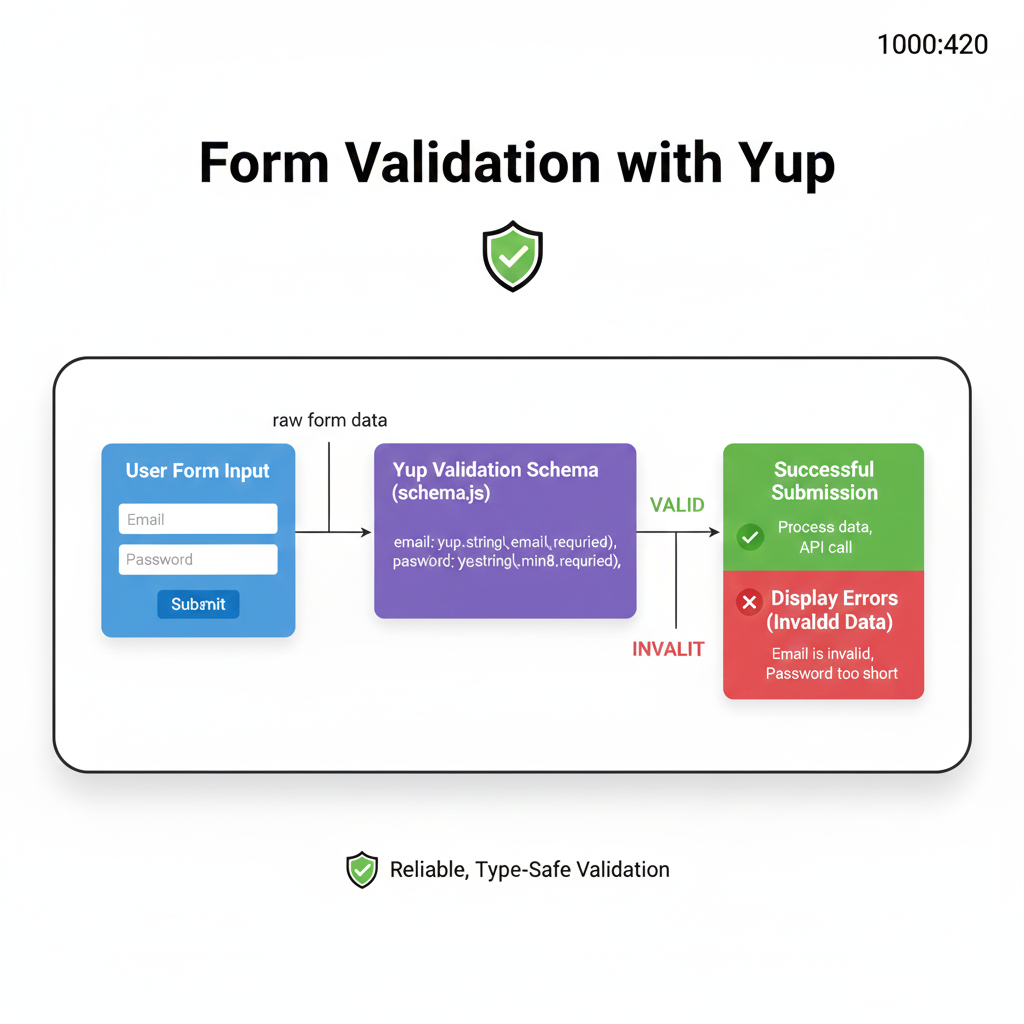
Tired of broken forms? Learn how to use Yup for powerful, human-friendly form validation in JavaScript & React. Step-by-step guide, real-world examples, and best practices included.
Master Form Validation with Yup: The Developer's Guide to Sanity
Alright, let’s be real for a second. How many times have you built a form, thought "Yeah, this looks good," only to get a barrage of support emails because someone entered their phone number in the email field? Or worse, they submitted a password like "123456" and you face-palmed so hard it echoed.
We’ve all been there. Form validation is that unglamorous, often frustrating part of web development that can make or break user experience. But what if I told you there’s a library that can turn this chore into something… almost enjoyable? Enter Yup.
What Even is Yup?
In the simplest terms, Yup is a JavaScript schema builder for value parsing and validation. Think of it as a super-strict, but very fair, bouncer for your form data. It defines a set of rules (a "schema") that your data must pass through before it’s allowed into your application’s VIP section (your database or state).
Created by the same mind behind Formik (another form hero), Yup has become the go-to validation library for React and beyond because of its dead-simple, readable syntax and insane power. You don’t write complex if-else labyrinths. You write human-readable rules.
Why the hype?
Declarative: You say what you want, not how to do it.
Client & Server Side: Works beautifully in the browser and Node.js.
Extensive Feature Set: Strings, numbers, dates, arrays, objects, custom validations – you name it.
Great Integration: Pairs seamlessly with Formik, React Hook Form, or any form state.
Getting Your Hands Dirty: Yup by Example
Enough theory. Let’s code. First, install it:
bash
npm install yupBasic Schema: Validating a User Signup
Imagine a signup form: name, email, age, password, confirmPassword.
javascript
import * as yup from 'yup';

const signupSchema = yup.object().shape({
  name: yup
    .string()
    .required("Bro, we kinda need to know what to call you.")
    .min(2, "That's too short for a name, isn't it?"),
  email: yup
    .string()
    .email("That doesn't look like a real email address.")
    .required("Email is mandatory, my friend."),
  age: yup
    .number()
    .typeError("Age must be a number, obviously.")
    .positive("You can't be negative years old!")
    .integer()
    .min(18, "You must be 18 or older to join.")
    .max(100, "We salute you! But please enter a realistic age."),
  password: yup
    .string()
    .required("Password is required.")
    .min(8, "Password must be at least 8 characters. Make it strong!"),
  confirmPassword: yup
    .string()
    .required("Please confirm your password.")
    .oneOf([yup.ref('password'), null], "Passwords must match. Try again!"),
});

// Let's test it!
const userData = {
  name: "Al",
  email: "al@example.com",
  age: 25,
  password: "supersecret123",
  confirmPassword: "supersecret123"
};

signupSchema.isValid(userData)
  .then(valid => console.log("Is it valid?", valid)); // true
See how readable that is? It’s like writing a checklist in plain English. The error messages aren't robotic; they have a tone, which makes your app feel more human.
Level Up: Async Validation & Complex Shapes
What about checking if an email is already taken? That needs an API call. Yup handles async like a champ.
javascript
const asyncSignupSchema = signupSchema.shape({
  email: yup
    .string()
    .email("Invalid email format.")
    .required()
    .test(
      'unique-email',
      'This email is already registered. Try logging in?',
      async (value) => {
        // Simulate an API call
        const isAvailable = await checkEmailAvailability(value);
        return isAvailable;
      }
    )
});
You can also shape complex, nested objects—perfect for dashboards or multi-step forms.
Real-World Use Case: The Multi-Step Onboarding Form
This is where Yup shines. Let’s say you have a 3-step onboarding for a freelancer platform.
Personal Details (name, email, profession)
Portfolio (links, bio, skills array)
Payment Setup (bank details, tax info)
You can create separate schemas for each step and validate them independently. This keeps your code modular and your user’s progress smooth. When they finally submit, you can validate the entire combined object. This modular approach prevents the user from seeing a wall of errors from step 1 while they’re on step 3.
Pro Integration Tip: Using React Hook Form with a resolver like @hookform/resolvers/yup is a match made in heaven. You get Yup's validation power with RHF's performant re-renders.
Best Practices: Don't Just Code, Code It Right
Keep Schemas Close to Components: Define your validation schema in the same file as your form component (or a dedicated
validation.jsfile in the same folder) for better maintainability.Write Human-Friendly Errors: Ditch "Invalid field." Write helpful, sometimes even funny, messages that guide the user. "Password needs at least one uppercase letter and a number" is better than "Pattern mismatch."
Sanitize with
transform: Yup can clean data before validation. Use.transform()to trim whitespace from strings or format numbers. Clean data first, validate second.Use
whenfor Conditional Logic: Need to validate a field only if another has a specific value?.when()is your best friend.javascript
subscribeToNewsletter: yup.boolean(),
newsletterFrequency: yup
  .string()
  .when('subscribeToNewsletter', {
    is: true,
    then: yup.string().required("Pick a frequency if you're subscribing!")
  })
Don't Over-Validate on Every Keystroke: Validate on
onBlur(field exit) andonSubmit. Instant validation ononChangecan be annoying for fields like email ("I'm not done typing yet!").
FAQs: Stuff You Might Be Wondering
Q: Yup vs. Joi? Which one?
A: Joi is fantastic and more feature-rich for server-side. Yup is lighter, browser-first, and has a more intuitive API for front-end devs. For React apps, Yup is the popular choice.
Q: Can I use Yup without Formik or React Hook Form?
A: Absolutely! It’s just a validation library. You can call schema.validate(data) anywhere—in a vanilla JS form, a Vue app, or even a Node.js API endpoint.
Q: Is the learning curve steep?
A: Not at all. If you can write object literals in JS, you can learn Yup basics in under 30 minutes. The official docs are pretty solid.
Q: How do I validate an array of objects?
A: Use yup.array().of(yup.object(...)). You can define a schema for the object inside the array. Perfect for dynamic form fields.
Conclusion: Why Yup is a Non-Negotiable Skill
In today’s web, a broken form is a lost user. A frustrating form is a lost customer. Yup gives you the toolkit to build forms that are not just functional, but robust and user-friendly. It takes the pain out of validation, reduces bugs, and makes your code look clean and professional.
Mastering tools like Yup is what separates hobbyist coders from professional developers who build scalable, maintainable applications. It’s about working smarter, not harder.
Want to level up from writing forms to building entire, production-ready applications? The principles of clean validation are just one part of professional software development.
To learn professional software development courses such as Python Programming, Full Stack Development, and MERN Stack, visit and enroll today at codercrafter.in. We break down complex topics like these into actionable, project-based learning so you can build a killer portfolio and land your dream dev job.
And hey, while you're on our site, check out our free developer tools, like our CMYK to RGB converter, built to make a designer-dev's life easier. Because at CoderCrafter, we build for builders.









