Master FCM Push Notifications: A Complete Guide for Developers (2025) | CoderCrafter
Learn how Firebase Cloud Messaging (FCM) works with our in-depth guide. Covers setup, real-world use cases, best practices for scaling, and FAQs to boost your app engagement.
Think of FCM as the silent power-up that can transform your app from a static tool into an active conversation with your users.
Imagine this: you’ve built an incredible app, but after the initial download, it sits quietly on your users' phones, forgotten. This is where Firebase Cloud Messaging (FCM) changes the game. As a cross-platform messaging solution provided by Google, FCM gives you a direct, reliable channel to re-engage users and deliver timely updates—keeping your app relevant and useful. Whether it’s a news alert on a desktop browser, a flash sale notification on an Android phone, or a fitness reminder on an iOS device, FCM makes it happen seamlessly.
For developers looking to master modern app engagement, understanding FCM is non-negotiable. In this guide, we’ll break down everything from how it works under the hood to real-world strategies for using it effectively. And if you're looking to build the skills to implement systems like this yourself, to learn professional software development courses such as Python Programming, Full Stack Development, and MERN Stack, visit and enroll today at codercrafter.in.
What Exactly is FCM?
At its core, Firebase Cloud Messaging (FCM) is a free service that lets you send messages between your server and your users’ client apps across iOS, Android, and the web. It acts like a highly efficient, global postal service for your app’s data, ensuring messages get delivered quickly and without draining the device’s battery.
The magic of FCM lies in its versatility. You can send two main types of messages:
Notification Messages: These are the classic push notifications—a title and body that automatically appear in the device’s notification tray. Perfect for alerts, reminders, and promotional messages.
Data Messages: These are silent messages that contain custom key-value pairs. Your app receives them in the background and can process the data to update its UI, sync information, or perform actions without ever showing a notification to the user.
How Does FCM Actually Work? A Peek Under the Hood
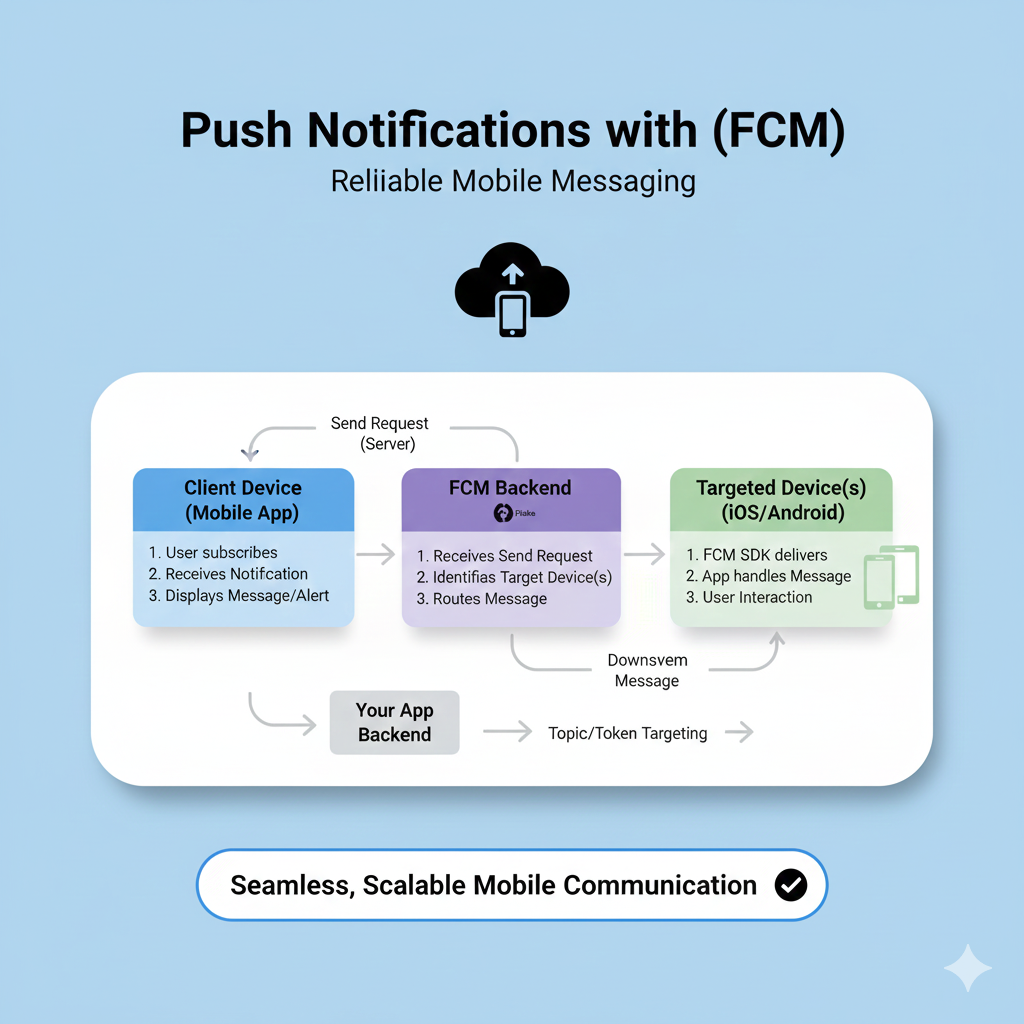
Let’s demystify the process. An FCM system involves three key players working in harmony:
Your App Server (The Sender): This is your trusted backend environment (like a Node.js or Python server, or a Cloud Function) that decides what message to send and to whom.
The FCM Server (The Router): This is Google’s infrastructure. Your server hands the message to FCM, which then takes care of all the complex routing across different platforms and networks.
The Client App (The Receiver): This is your app installed on a user’s device. It uses the Firebase SDK to register with FCM and listen for incoming messages.
Here’s the typical flow, step by step:
Step 1 – Device Registration: When a user installs and opens your app, the Firebase SDK automatically contacts the FCM servers. In return, it receives a unique registration token for that specific device-installation. Your app should send this token to your backend server for safekeeping—it's the "address" you'll use to send future messages.
Step 2 – Sending a Message: From your app server, you build a request (using the Firebase Admin SDK or the HTTP protocol) containing the target token and the message payload.
Step 3 – Routing & Delivery: The FCM infrastructure identifies the correct device using the token and delivers the message via the platform's transport service (like APNs for iOS).
Step 4 – Handling on the Device: On the client device, the Firebase SDK receives the message. If it's a notification message, the system can display it automatically. For data messages, the SDK delivers it directly to your app code, where you can decide exactly what to do with it.
Real-World Use Cases: Beyond "You Have a New Message"
FCM is incredibly flexible. Here’s how top apps use it to create standout experiences:
E-commerce & Retail: "Your order has shipped!" "The jacket in your cart is on sale." "Flash sale starts in 1 hour!" These timely nudges directly drive conversions and purchases.
Media & News: Instant alerts for breaking news, personalized article recommendations, or reminders for a live stream. It keeps users coming back for the latest content.
Social & Communication: The classic "New message from Alex" or "Someone liked your post." FCM powers the real-time feel of modern social apps.
Productivity & Utilities: Calendar reminders, task due date alerts, or collaboration updates (e.g., "A document was shared with you").
Health & Fitness: "Time for your workout!" "You’ve reached 10,000 steps today." "Your weekly report is ready."
A key best practice is to use FCM for what it's best at: time-sensitive, relevant communication that adds user value. For predictable reminders (like a daily 7 AM alarm), it's often better to schedule a local notification within the app itself.
Pro-Tip for Scalability: Flatten the Curve
If you plan to send messages to a massive audience, you need to be smart about it. A common pitfall is triggering millions of messages at exactly the same time (like at the top of the hour), which can overwhelm systems. This is known as creating a "traffic spike".
FCM's own documentation advises you to "flatten the curve":
Avoid On-the-Hour Sending: Traffic already naturally spikes at :00, :15, :30, and :45 minute marks. Stagger your sends outside these windows.
Implement Gradual Ramp-Ups: When starting a large campaign, don't send to 100% of your users instantly. Gradually increase the send rate over an hour or more to allow systems to scale smoothly.
Use Smart Retry Logic: If a message send fails, don't immediately retry. Implement exponential backoff with jitter—wait 10 seconds, then 20, then 40, with a bit of random delay added. This prevents retries from creating a second, bigger wave of traffic.
Best Practices for Engaging Notifications
Sending a notification is one thing; sending one that users appreciate and act on is another. Here are some content-focused tips:
Be Concise & Clear: You have seconds of attention. Put the most important info (the value proposition) right in the headline.
Personalize: Use the data you have! A notification saying "Your weekly listening report is ready" is far more engaging than "Check out new music!"
Create Urgency (When Genuine): Use action-oriented language and time-sensitive phrases like "Last chance" or "Ends tonight."
Provide Value, Not Just Ads: Not every notification should be a sales pitch. Share useful updates, reminders, and insights that reinforce your app's core purpose.
A/B Test Everything: Use FCM's integration with Google Analytics or other platforms to test different headlines, messaging, and send times to see what resonates best with your audience.
Building these sophisticated, user-friendly notification systems requires a solid foundation in full-stack development. If you're eager to learn how to architect the backend servers, manage the client-side logic, and handle data flow for features like this, consider deepening your expertise. To learn professional software development courses such as Python Programming, Full Stack Development, and MERN Stack, visit and enroll today at codercrafter.in.
Frequently Asked Questions (FAQs)
Is FCM really free?
Yes, Firebase Cloud Messaging itself is free to use for sending messages. You only potentially incur costs for related Google Cloud resources if you use them (like Cloud Functions as your app server), but the messaging tier has no charges.Can notifications work if the app is closed or the browser is off?
On Android: Yes. The OS listens for FCM messages and can wake up your app to handle them.
On iOS: Similar mechanisms apply for native apps.
On Web: If the browser is fully closed (not running in the background), it cannot receive push notifications. However, if the browser is just minimized or has no windows open but is still running, your service worker can receive messages.What's the difference between FCM and Web Push?
Web Push is an open standard implemented by browsers. FCM is Google's specific push service. For web apps, you can use the standard Web Push protocol, or you can use the Firebase JS SDK, which simplifies the process by giving you a single FCM token instead of managing subscription details.How do I send a test notification?
The easiest way is via the Firebase Console's Notifications Composer. You can send a message to a specific device token you've collected during development.
Conclusion
Firebase Cloud Messaging is a powerhouse tool that bridges the gap between your application and your users. It transforms passive apps into active engagement platforms, driving retention, delivering value, and enhancing the overall user experience.
From understanding the flow of registration tokens to crafting targeted messages and planning for massive scale, mastering FCM is a key skill for any developer working on modern applications. It’s about more than just code—it’s about understanding user behavior and building communication systems that feel helpful, not intrusive.
Ready to start building? Dive into the official FCM documentation for detailed setup guides and code samples for your platform. And to build the comprehensive full-stack skills needed to implement systems like FCM from the ground up, to learn professional software development courses such as Python Programming, Full Stack Development, and MERN Stack, visit and enroll today at codercrafter.in. Start implementing, start testing, and watch your user engagement soar.









