Local vs Global State Architecture: A Complete 2025 Guide for Developers
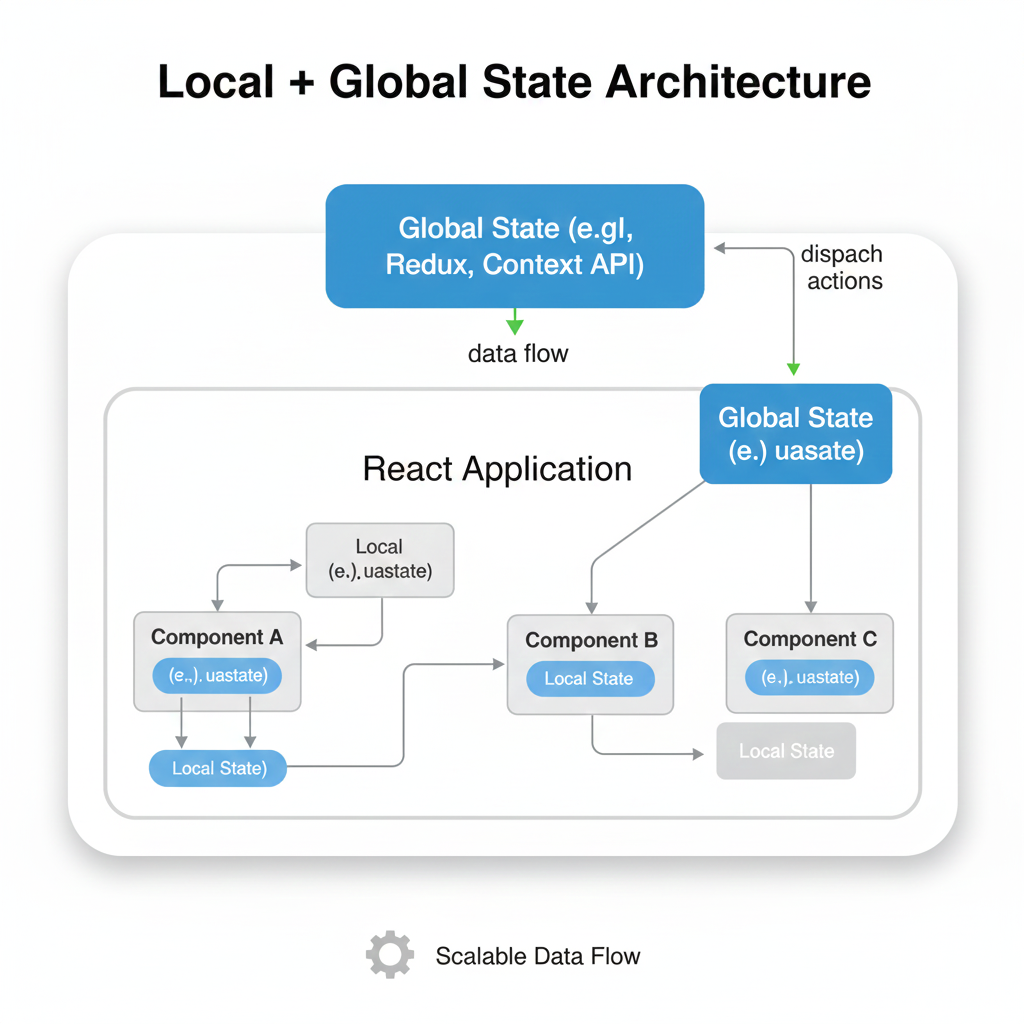
Struggling with state management? Learn when to use local vs global state with real examples, best practices, and modern tools. Master React state architecture like a pro.
Hey there, fellow devs and curious coders! 👋 Ever feel like you're constantly playing referee between different parts of your app, trying to get them to share information without everything turning into a messy free-for-all? That's basically what state management feels like in modern web development. Today, we're diving deep into the Local vs. Global State architecture – the ongoing power struggle in your codebase that can make or break your application's performance and your sanity.
Let's get real: if you've ever shouted at your screen because component A won't talk to component B, or spent hours passing props through seven different components (prop drilling, anyone?), this post is for you. We're breaking down this complex topic into actual human language, with real examples you'll recognize.
What Even Is "State"? Let's Start Simple
Think of state as your app's memory. It's everything your application needs to remember while it's running. Your user's login status? That's state. The items in their shopping cart? State. The current theme (dark mode for life! 🌙)? You guessed it – state.
Now, here's where things get spicy. Not all memory needs to be shared with everyone. Some information is like that embarrassing childhood photo – it stays local. Other information needs to be posted on the digital bulletin board for everyone to see. That's the core of our debate.
Local State: Your Component's Private Diary
Local state is exactly what it sounds like – it's information that's relevant to one specific component and nobody else. It's like the notes app on your phone versus your public Instagram story.
Real example you've definitely coded:
javascript
// That toggle switch for a dropdown menu
const [isMenuOpen, setIsMenuOpen] = useState(false);

// Form input fields before submission
const [email, setEmail] = useState('');
const [password, setPassword] = useState('');
This state lives and dies with that component. When the component unmounts, poof – the state is gone (unless you save it somewhere, but that's a different conversation).
When to use local state:
Form inputs before submission
UI toggle states (dropdowns, modals, accordions)
Component-specific animations
Anything that doesn't affect other parts of your app
Pros: Super fast, no dependencies, easy to reason about
Cons: Can't share data with siblings or distant components
Global State: The Town Square Bulletin Board
Global state is the shared information that multiple components across your app need to access. It's your application's single source of truth for important, shared data.
Real-world examples you know:
User authentication status (logged in/out, user profile)
Shopping cart contents
Theme preferences (light/dark mode)
Internationalization (language settings)
Real-time data like stock prices or live scores
javascript
// Using something like Redux, Zustand, or Context API
// Every component can access this without prop drilling
const user = useSelector(state => state.auth.user);
const cartItems = useSelector(state => state.cart.items);
When to use global state:
User authentication data
Shopping carts
App theme/settings
Real-time notifications
Data fetched from an API that multiple components need
Pros: Avoids prop drilling, single source of truth, accessible everywhere
Cons: Can become bloated, harder to debug, potential performance issues
The Hybrid Approach: What Actually Works in Practice
Here's the truth nobody tells beginners: 95% of real-world applications use both. It's not an either/or situation. The real skill is knowing what goes where.
Modern architecture pattern:
Start local – Default to local state unless you have a specific reason to go global
Lift state up – When siblings need to share, move state to their common parent
Go global – Only when multiple unrelated components across your app need the same data
Pro tip: Tools like React Query or SWR have changed the game for server state, letting you cache API responses globally while keeping UI state local.
Real-World Use Case: Let's Build an E-Commerce App Together
Picture this: You're building the next Amazon (stay with me here).
Local State examples:
Product image zoom state
Product quantity selector in the modal
"Add to cart" button loading animation
Search input field before submission
Global State examples:
User's login status and profile
Shopping cart items (needed in navbar counter AND cart page)
Applied filters/sorting preferences
Recently viewed products
Currency selection
See how they work together? The global state tells you what's in the cart, while local state handles how a specific product gets added to that cart.
The Modern Toolbox: State Management Libraries in 2024
The landscape has evolved massively. Here's what developers are actually using:
For global state:
Zustand – Minimal, hooks-based, becoming wildly popular
Redux Toolkit – The evolved, less-boilerplate version of classic Redux
Context API – Built into React, great for smaller apps
Recoil – Facebook's experimental library with atomic goodness
For server state:
TanStack Query (React Query) – The absolute game-changer for API state
SWR – Vercel's lightweight alternative
Apollo Client – If you're using GraphQL
For form state (a special category):
React Hook Form – Performance king for forms
Formik – The popular all-in-one solution
Common Pitfalls & How to Avoid Them
Mistake #1: Putting everything in global state
Result: Performance nightmares and debugging hell
Fix: Ask "Do at least 3 unrelated components need this?" If no, keep it local
Mistake #2: Prop drilling through 5+ components
Result: Unmaintainable code and props you don't remember
Fix: Either lift state up properly or use Context for that specific subtree
Mistake #3: Not separating server vs client state
Result: Duplicated API calls and stale data
Fix: Use React Query for server cache, global state for true app state
Mistake #4: Storing derived state
Result: Inconsistent UI
Fix: Calculate derived values in components or selectors, don't store them
Best Practices That Actually Work
The 3-Component Rule – If data is needed by 3+ unrelated components, consider global state
Colocation – Keep state as close to where it's used as possible
Start Simple – Begin with useState, lift when needed, add libraries last
Type Everything – TypeScript will save you from state-related bugs
Use Selectors – Even with Context, use selectors to prevent unnecessary re-renders
Normalize State – Keep your global state flat, like a database
FAQ: Your Burning Questions Answered
Q: Should I always use Redux?
A: Not anymore! Start with Context or Zustand. Only bring in Redux Toolkit if you need its specific features or dev tools.
Q: How do I decide between Context API and a library?
A: Context is great for medium apps or specific subtrees. For app-wide complex state, libraries handle performance and scaling better.
Q: What about useState vs useReducer?
A: useState for simple state (toggles, inputs). useReducer for complex state logic (multi-step forms, complex components).
Q: Is prop drilling always bad?
A: No! Passing props 1-2 levels down is fine and often clearer. It's when you're drilling 5+ levels that you have a problem.
Q: How do I manage state in Next.js?
A: Server components change everything! Keep client state in context/providers wrapped in 'use client', use server state in server components.
The Future: Server Components & Beyond
With React Server Components and frameworks like Next.js, the game is changing again. More state can live on the server, with only interactive pieces needing client state. The trend is moving toward less client state overall, which honestly, is a relief.
Conclusion: It's About Balance
Here's the honest truth: there's no one-size-fits-all answer. Your state architecture should evolve with your app. Start simple, add complexity only when needed, and constantly ask: "Does this need to be global, or am I being lazy about component structure?"
The best developers aren't those who use the most libraries, but those who understand what state belongs where and can justify their decisions.
Remember: global state is like a public announcement system – use it sparingly, or people will tune out. Local state is your private notebook – perfect for thoughts that don't concern everyone else.
Want to master these architectural decisions and build production-ready applications? To learn professional software development courses such as Python Programming, Full Stack Development, and MERN Stack with modern state management patterns, visit and enroll today at codercrafter.in. We don't just teach syntax – we teach the architectural thinking that turns junior devs into senior engineers.









