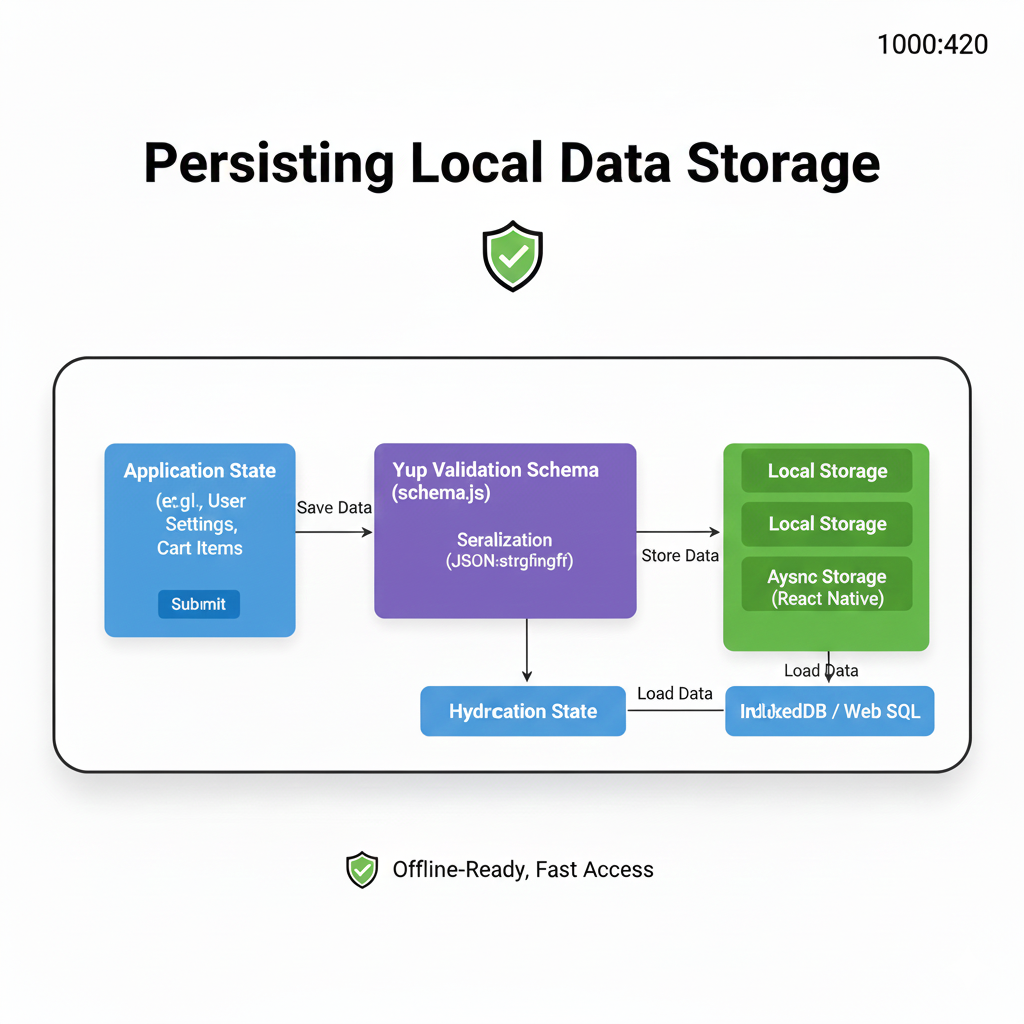
Learn how persisting local data storage works. Explore real-world use cases, best practices, and tools for web & mobile apps. Become a better developer today.
Alright, let's talk about something that might not sound glamorous but is absolutely crucial for building apps people actually enjoy using: local data storage. You know that feeling when you reopen an app and your preferences, half-written draft, or progress in a game is just… gone? Super annoying, right? That’s where persisting local data comes in—it’s the behind-the-scenes magic that remembers things for your users.
Whether you're building a mobile app, a desktop program, or even a sophisticated web application, understanding how to save data directly on a user's device is a fundamental skill. Let’s break it down, ditch the jargon, and talk about what it really means, how it works, and why you should care.
So, What Exactly Is Persisting Local Data?
In simple terms, it’s saving information on a user's own device (their phone, laptop, tablet, etc.) so the app can "remember" things between sessions. Think of it like sticky notes on your computer monitor versus having to ask a friend over the phone every single time you need a piece of information.
The "persisting" part means the data survives after you close the app, restart your device, or come back tomorrow. It’s the opposite of storing data in your app's temporary memory (RAM), which gets wiped clean the moment the app closes.
Why Bother? The Real-World Use Cases
You’re probably using persisted local data all the time without even realizing it. Here’s where it shines:
User Preferences & Settings: Your dark mode toggle, language choice, or notification settings? All saved locally.
Offline-First Apps: Think note-taking apps like Notion or Obsidian. You can create, edit, and read your notes even without an internet connection. The data syncs to the cloud later when you’re back online.
Shopping Carts & Drafts: Ever added items to a cart on an e-commerce site, closed the tab, and came back to find them still there? Thank local storage.
Game Progress: Saving your level, score, and inventory locally is a classic use case.
Caching for Performance: Apps often store frequently used data (like your social media feed or product listings) locally to load blazingly fast the next time you open them, while checking for updates in the background.
Your Toolkit: How to Actually Save Data Locally
The "how" depends entirely on what you're building. Here’s a quick rundown of the most common tools in the developer's shed.
For Web Development (Frontend)
When you're working in the browser, you have a few key options:
LocalStorage & SessionStorage: The quick and easy key-value pair storage. Perfect for small stuff like theme preferences or form autosave.
javascript
// Save a user's theme preference
localStorage.setItem('theme', 'dark');
// Get it back later
const savedTheme = localStorage.getItem('theme');
Pro Tip:
sessionStorageworks the same but only lasts for that browser tab session.IndexedDB: This is your heavy lifter. Need to store large amounts of structured data, files, or even blobs? IndexedDB is a full-blown, asynchronous database inside the browser. It’s more complex but incredibly powerful for offline web apps.
Cookies: The old-school method. Mainly used for authentication tokens sent to servers with every request. Not great for large storage due to size limits and performance impacts.
For Mobile & Desktop Apps
Here, you have more direct access to the device's file system.
SQLite: A lightweight, file-based relational database. It’s everywhere—used by iOS, Android, and many desktop frameworks. Great for complex, relational data.
Realm: A modern object-oriented alternative to SQLite, known for being fast and easy to use, especially with mobile SDKs.
Flat Files (JSON, XML, Plists): Sometimes, you just need to write a simple JSON file to disk. This is perfect for app configuration or simple data structures. It’s straightforward and human-readable.
Platform-Specific APIs: Like
NSUserDefaultson iOS orSharedPreferenceson Android for simple key-value storage.
Best Practices: Doing It Right
Anyone can save data, but doing it well is an art. Here are some non-negotiable tips:
Security First: NEVER, EVER store sensitive data (passwords, credit card numbers, personal IDs) in plain text locally. Use secure, encrypted storage solutions provided by the platform. For web, avoid storing sensitive info in
localStorageat all.Clean Up After Yourself: Data piles up. Implement logic to clear old caches or unused data. Respect the user's device storage.
Handle Errors Gracefully: Storage can fail (disk is full, permission denied). Your app shouldn’t crash; it should show a friendly error and try to recover.
Plan for Migration: As your app evolves, your data structure might change. Have a strategy for updating old, stored data to new formats when the app updates.
Respect User Privacy: Be transparent about what you're storing locally and why. Follow data protection regulations like GDPR.
The FAQs (Stuff You Actually Want to Know)
Q: Local Storage vs. a Cloud Database… when do I choose which?
A: Use local storage for speed, offline access, and to reduce server load. Use a cloud database (like Firebase, PostgreSQL) when you need data to be shared across multiple user devices or with other users in real-time.
Q: How much data can I actually store locally?
A: It varies. Web localStorage is typically 5-10MB per origin. IndexedDB can be much larger (often 50% of free disk space). Mobile/Desktop apps are generally limited by the device's free space, but be responsible!
Q: Can users see or modify my locally stored data?
A: Yes, especially on web. Tech-savvy users can inspect and edit localStorage or IndexedDB via browser DevTools. Never trust client-side data for security-critical logic. Always validate on your server.
Q: My app’s data feels messy. Any advice?
A: Start with a clear data structure plan. For simple needs, use key-value pairs. For complex, queryable data, use a local database (SQLite/IndexedDB). Libraries like localForage can also simplify web storage by providing a unified, promise-based API.
Wrapping It Up
Mastering local data persistence isn't about memorizing APIs; it’s about understanding the philosophy of creating a seamless, reliable, and fast user experience. It’s the difference between an app that feels "dumb" and one that feels intuitive and responsive.
It's a core pillar of modern software development, especially with the rise of Progressive Web Apps (PWAs) and offline-capable applications.
Want to build these kinds of professional, user-friendly applications yourself? This is just one piece of the puzzle in becoming a proficient developer. To learn professional software development courses that dive deep into full-stack concepts, database design, and building real-world projects—like our Python Programming, Full Stack Development, and MERN Stack programs—visit and enroll today at codercrafter.in. We’ll give you the hands-on skills to not only manage data locally but to architect entire applications from the ground up.
Check out our free tools and resources to get started, like our developer utilities, including a handy CMYK to RGB converter for your design-to-code workflows.