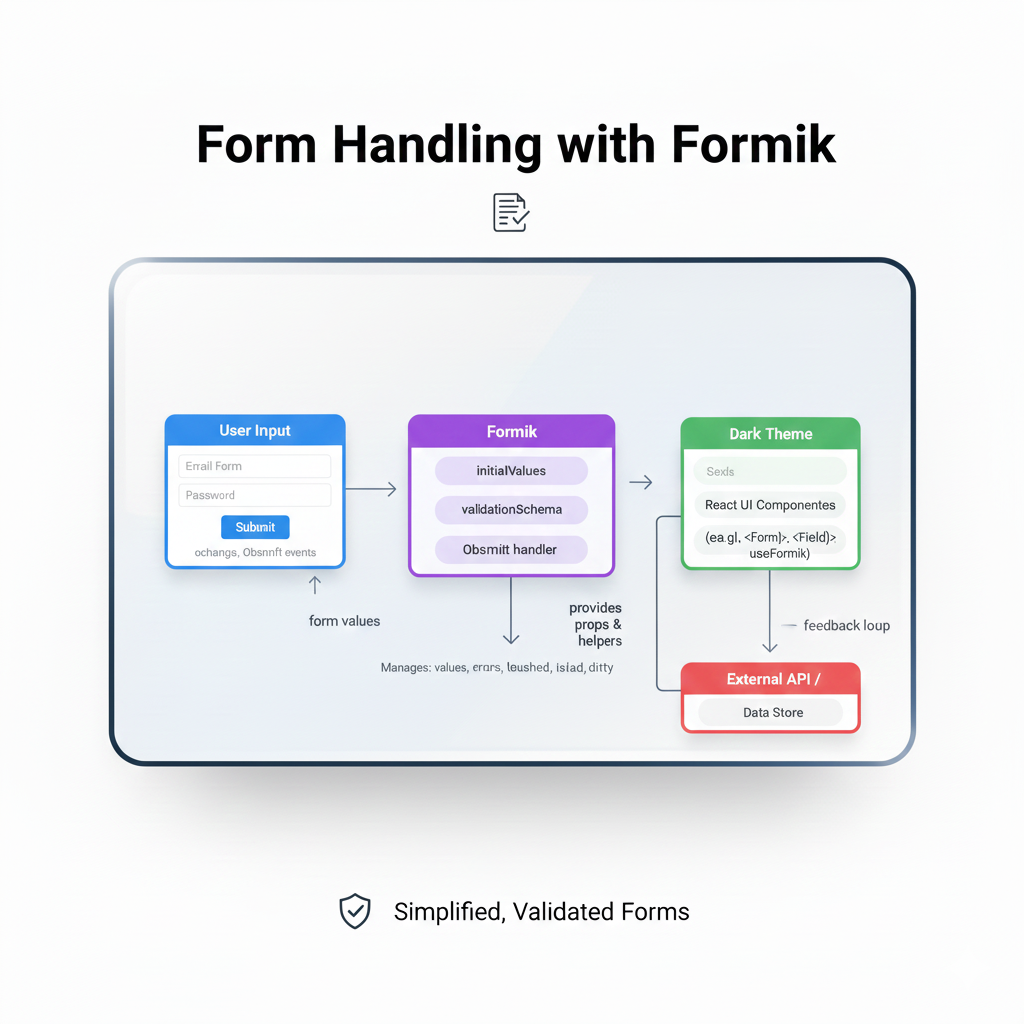
Tired of React form state headaches? This in-depth guide to Formik breaks down everything—from setup to advanced validation—with real code examples. Level up your frontend skills!
Let's be real for a second. How many hours have you lost to React form state? You know the drill: useState for every field, a spaghetti monster of onChange handlers, validation logic that somehow ends up duplicated in three different places, and that gnawing feeling that there has to be a better way.
You're not alone. Form management is one of those frontend tasks that starts simple and explodes into complexity faster than you can say "oh, we need a conditional field here."
Enter Formik. It's not just another library; it's the community's collective sigh of relief. It’s the toolbox that takes the repetitive, error-prone grunt work out of forms so you can focus on what matters—the actual user experience.
In this guide, we're going to ditch the surface-level tutorials. We're diving deep into Formik: what it is, why it's a game-changer, how to use it like a pro, and when you might want to reach for it. Grab your coffee, and let's fix your form woes for good.
What Actually is Formik? (Spoiler: It's Not Magic)
At its core, Formik is a state management library specifically for forms in React. Think of it as a dedicated manager for your form's entire lifecycle. It bundles together all the pieces you'd normally wire up manually:
Form State: Values, errors, touched fields, submission status.
Form Actions: Handlers for change, blur, and submit.
Validation: Seamless integration for sync/async validation.
Its philosophy is beautiful in its simplicity: keep your form state colocated with your form UI. No more prop-drilling state or actions down a deep component tree. Formik provides a context (via the useFormik hook or <Formik> component) that gives any child direct access to everything they need.
The best part? It's unopinionated about validation (use Yup, Zod, custom functions—you do you) and styling. It just manages state and gets out of your way.
Why Formik? The "Aha!" Moment with Code
Talk is cheap. Let's see the difference. Imagine a basic login form. Here's the "before Formik" version we've all written too many times:
javascript
import { useState } from 'react';

const PainfulLoginForm = () => {
  const [email, setEmail] = useState('');
  const [password, setPassword] = useState('');
  const [errors, setErrors] = useState({});
  const [isSubmitting, setIsSubmitting] = useState(false);

  const validate = () => {
    const newErrors = {};
    if (!email) newErrors.email = 'Required';
    else if (!/^[A-Z0-9._%+-]+@[A-Z0-9.-]+\.[A-Z]{2,}$/i.test(email)) {
      newErrors.email = 'Invalid email address';
    }
    if (!password) newErrors.password = 'Required';
    return newErrors;
  };

  const handleSubmit = async (e) => {
    e.preventDefault();
    setIsSubmitting(true);
    const formErrors = validate();
    setErrors(formErrors);
    if (Object.keys(formErrors).length === 0) {
      // Submit logic here
      await loginAPI({ email, password });
    }
    setIsSubmitting(false);
  };

  return (
    <form onSubmit={handleSubmit}>
      <div>
        <label>Email</label>
        <input
          type="email"
          value={email}
          onChange={(e) => setEmail(e.target.value)}
          onBlur={() => setErrors({...errors, email: validate().email})}
        />
        {errors.email && <div style={{color: 'red'}}>{errors.email}</div>}
      </div>
      {/* Repeat ALL of that for password... */}
      <button type="submit" disabled={isSubmitting}>
        {isSubmitting ? 'Logging in...' : 'Login'}
      </button>
    </form>
  );
};
Exhausting, right? Now, let's refactor with Formik:
javascript
import { useFormik } from 'formik';
import * as Yup from 'yup'; // For validation schema

const SmoothLoginForm = () => {
  const formik = useFormik({
    initialValues: { email: '', password: '' },
    validationSchema: Yup.object({
      email: Yup.string().email('Invalid email address').required('Required'),
      password: Yup.string().required('Required'),
    }),
    onSubmit: async (values, { setSubmitting }) => {
      await loginAPI(values); // values is {email: '...', password: '...'}
      setSubmitting(false);
    },
  });

  return (
    <form onSubmit={formik.handleSubmit}>
      <div>
        <label htmlFor="email">Email</label>
        <input
          id="email"
          name="email"
          type="email"
          onChange={formik.handleChange}
          onBlur={formik.handleBlur}
          value={formik.values.email}
        />
        {formik.touched.email && formik.errors.email ? (
          <div style={{color: 'red'}}>{formik.errors.email}</div>
        ) : null}
      </div>
      <div>
        <label htmlFor="password">Password</label>
        <input
          id="password"
          name="password"
          type="password"
          onChange={formik.handleChange}
          onBlur={formik.handleBlur}
          value={formik.values.password}
        />
        {formik.touched.password && formik.errors.password ? (
          <div style={{color: 'red'}}>{formik.errors.password}</div>
        ) : null}
      </div>
      <button type="submit" disabled={formik.isSubmitting}>
        {formik.isSubmitting ? 'Logging in...' : 'Login'}
      </button>
    </form>
  );
};
See what happened? All the state management—values, errors, touched, submission status—is centralized in the formik object. The validation logic is declarative with Yup. The code is cleaner, more predictable, and way easier to extend. This is the Formik win.
Real-World Use Cases: Beyond the Basics
Formik shines in simple forms, but it's built for the real world. Here’s where it becomes indispensable:
Multi-Step/Wizard Forms: Formik's state persists between steps. You can wrap each step's components in a shared
<Formik>context, making it trivial to move data forward and backward.Dynamic Form Fields (Adding/Removing): Need to let users add multiple email addresses? Formik's
fieldArrayhelpers (likeformik.push,formik.remove) make managing dynamic lists a structured process instead of a state nightmare.Complex, Dependent Validation: If a "newsletter subscription" checkbox is ticked, the "email" field becomes required. This conditional logic is cleanly handled within your validation schema or custom validate function, with easy access to all form values.
Seamless API Integration: The
onSubmithandler gives you the validatedvaluesobject, perfectly formatted to send directly to your backend API. It also provides helpers likesetSubmittingandsetStatusfor ideal loading and error states.
Leveling Up: Best Practices & Pro Tips
After building dozens of forms, here are the patterns that will save you headaches:
Use
getFieldProps(): Instead of manually attachingonChange,onBlur,valuefor each field, useformik.getFieldProps('fieldName'). It returns the exact prop bundle you need. Cleaner code, instantly.Leverage
<Formik>,<Form>,<Field>, and<ErrorMessage>: Formik provides these helper components for maximum reduction of boilerplate.<Field>can even render custom components.Separate Validation Schemas: For larger forms, keep your Yup schema in a separate file. It’s easier to maintain and test.
Optimize Re-renders: In huge forms, Formik's context updates can cause re-renders. For performance-critical parts, consider using
<Field>oruseFieldhook, which isolate updates to the specific field.Don't Fear the
validateFunction: For super custom validation logic that schemas can't handle, thevalidatefunction gives you total control and access to all form values.
FAQs: Stuff Everyone Wants to Know
Q: Formik vs. React Hook Form (RHF)? Which is better?
A: It's the Honda vs. Toyota debate. Formik is feature-rich and declarative, great for complex forms and rapid development. React Hook Form is hyper-performant, leveraging uncontrolled components and native form validation. It often has fewer re-renders. Choose Formik for developer experience and comprehensive features, RHF for maximum performance in massive forms.
Q: Is Formik dead? Should I still learn it in 2024?
A: Absolutely not dead. It's mature, stable, and used in thousands of production applications. While newer libraries exist, Formik's principles and widespread adoption make it a highly valuable skill. Understanding Formik makes you appreciate the problem space of form management.
Q: Can I use it with UI libraries like Material-UI or Chakra UI?
A: 100%. That's the beauty of being unopinionated. You wrap their components (like TextField) with Formik's useField or use getFieldProps() to pass down the necessary props. There are also great community adapters.
Q: How do I handle file uploads?
A: Formik manages the metadata (like the filename or upload status), but for the actual File object, you'll typically use a separate handler or a ref to the file input, then integrate it into Formik's state via setFieldValue.
Wrapping It Up: Your Forms, But Smarter
Formik isn't about adding abstraction for abstraction's sake. It’s about removing friction. It standardizes the chaotic process of form building into a predictable, declarative workflow. You write less wiring code and more meaningful logic. Your forms become more robust, user-friendly (thanks to easy touched/error handling), and frankly, more enjoyable to build.
Mastering tools like Formik is what separates hobbyist coders from professional developers who can ship reliable, maintainable features fast. It’s a core piece of the modern frontend toolkit.
Speaking of professional development, if you're looking to systematically level up your skills and build production-ready applications, understanding ecosystems like React and its essential libraries is key. To learn professional software development courses such as Python Programming, Full Stack Development, and MERN Stack, visit and enroll today at codercrafter.in. We break down these concepts with industry-relevant projects and expert guidance.
So, the next time a "simple contact form" ticket comes your way, you’ll know exactly what to do. Ditch the manual state chaos. Embrace the structure. Go build something awesome.
Have any Formik tips or horror stories? Share them below! (P.S. Check out our free tool for frontend devs, like the CMYK to RGB converter, to speed up your workflow.)