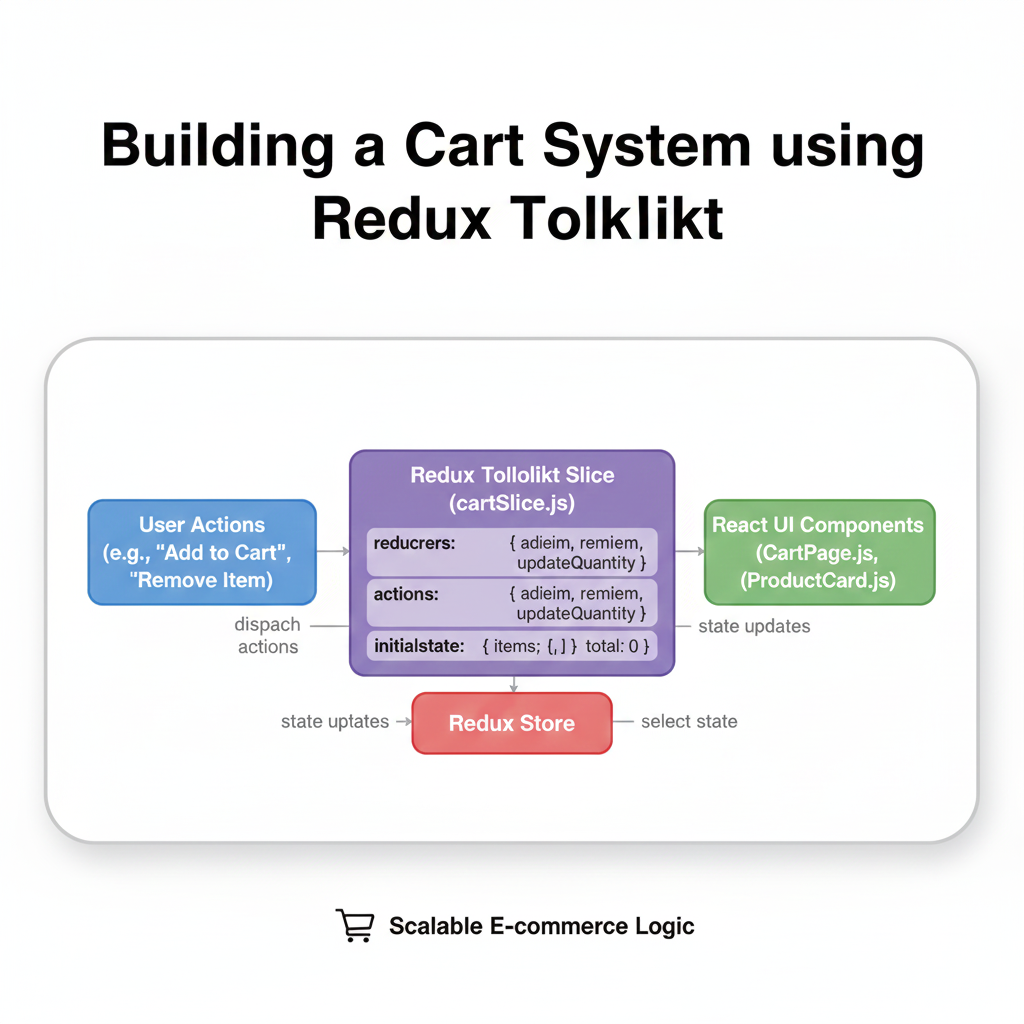
Learn how to build a professional shopping cart system using Redux Toolkit. Step-by-step tutorial with code examples, best practices, and localStorage persistence. Perfect for React developers.
Alright, let's be real—state management in React can get messy real quick. You start with a simple useState, and before you know it, you're passing props through five components, getting lost in callback hell, and wondering why your cart items keep disappearing on refresh. Been there, done that.
If you're building an e-commerce site (or honestly, any app with complex state), you've probably heard about Redux. But old Redux? With all those actions, reducers, and boilerplate? No thanks. That's where Redux Toolkit (RTK) comes in—it's like Redux got a major glow-up.
In this deep dive, we're building a full-fledged shopping cart system using Redux Toolkit. By the end, you'll not only understand how it works but also why it's become the go-to solution for state management in modern React apps.
What is Redux Toolkit, Actually?
In simple terms, Redux Toolkit is the official, opinionated toolset for efficient Redux development. It's not a different library—it's Redux with batteries included. Think of it like this:
Old Redux: Building IKEA furniture with instructions in Swedish and missing screws
Redux Toolkit: The same furniture, but pre-assembled with clear instructions
The creators of Redux themselves looked at what people were complaining about (boilerplate, complexity, too many packages) and said, "Let's fix this." RTK includes utilities that simplify most common Redux use cases.
Why Use Redux Toolkit for a Cart System?
Before we code, let's talk about why this makes sense:
Single Source of Truth: Your cart state lives in one central store
Predictable Updates: Every cart modification follows the same pattern
DevTools Magic: Time-travel debugging is actual sorcery
Persistence Ready: Easily save/load cart from localStorage
Scalability: When you add user auth, wishlists, or recommendations, your structure is ready
Setting Up the Project
bash
npx create-react-app rtk-cart-demo
cd rtk-cart-demo
npm install @reduxjs/toolkit react-redux
Yeah, that's it. Two packages. Remember when Redux needed like five separate installs? We've come a long way.
Building Our Cart Store
Here's where RTK shines. We're going to create our entire cart logic in one file:
javascript
// store/cartSlice.js
import { createSlice, createAsyncThunk } from '@reduxjs/toolkit';

// Mock async function - in real life, this would be your API call
const fetchProductPrice = createAsyncThunk(
  'cart/fetchProductPrice',
  async (productId) => {
    const response = await fetch(`/api/products/${productId}/price`);
    return response.json();
  }
);

const cartSlice = createSlice({
  name: 'cart',
  initialState: {
    items: [],
    total: 0,
    loading: false,
    error: null,
  },
  reducers: {
    addItem: (state, action) => {
      const existingItem = state.items.find(
        item => item.id === action.payload.id
      );

      if (existingItem) {
        existingItem.quantity += action.payload.quantity || 1;
      } else {
        state.items.push({
          ...action.payload,
          quantity: action.payload.quantity || 1,
        });
      }

      state.total = calculateTotal(state.items);
    },

    removeItem: (state, action) => {
      state.items = state.items.filter(item => item.id !== action.payload);
      state.total = calculateTotal(state.items);
    },

    updateQuantity: (state, action) => {
      const { id, quantity } = action.payload;
      const item = state.items.find(item => item.id === id);

      if (item) {
        if (quantity <= 0) {
          state.items = state.items.filter(item => item.id !== id);
        } else {
          item.quantity = quantity;
        }
      }

      state.total = calculateTotal(state.items);
    },

    clearCart: (state) => {
      state.items = [];
      state.total = 0;
    },
  },
  extraReducers: (builder) => {
    builder
      .addCase(fetchProductPrice.pending, (state) => {
        state.loading = true;
      })
      .addCase(fetchProductPrice.fulfilled, (state, action) => {
        state.loading = false;
        // Update price logic here
      })
      .addCase(fetchProductPrice.rejected, (state, action) => {
        state.loading = false;
        state.error = action.error.message;
      });
  },
});

// Helper function
const calculateTotal = (items) => {
  return items.reduce(
    (sum, item) => sum + (item.price * item.quantity),
    0
  );
};

export const { addItem, removeItem, updateQuantity, clearCart } = cartSlice.actions;
export { fetchProductPrice };
export default cartSlice.reducer;
Look at that! In about 80 lines, we've got:
CRUD operations for cart items
Async thunk for price fetching (because prices can change!)
Total calculation
Loading and error states
Connecting to React
Now, let's create our store and connect it:
javascript
// store/store.js
import { configureStore } from '@reduxjs/toolkit';
import cartReducer from './cartSlice';

export const store = configureStore({
  reducer: {
    cart: cartReducer,
  },
});

// index.js or App.js
import React from 'react';
import ReactDOM from 'react-dom';
import { Provider } from 'react-redux';
import { store } from './store/store';
import App from './App';

ReactDOM.render(
  <Provider store={store}>
    <App />
  </Provider>,
  document.getElementById('root')
);
Building Cart Components
Here's a practical cart component using hooks:
javascript
// components/Cart.js
import React from 'react';
import { useSelector, useDispatch } from 'react-redux';
import { removeItem, updateQuantity, clearCart } from '../store/cartSlice';

const Cart = () => {
  const dispatch = useDispatch();
  const { items, total } = useSelector((state) => state.cart);

  if (items.length === 0) {
    return (
      <div className="cart-empty">
        <h3>Your cart is feeling lonely 🛒</h3>
        <p>Add some items to get started!</p>
      </div>
    );
  }

  return (
    <div className="cart-container">
      <div className="cart-header">
        <h2>Your Cart ({items.length} items)</h2>
        <button
          onClick={() => dispatch(clearCart())}
          className="clear-btn"
        >
          Clear All
        </button>
      </div>

      <div className="cart-items">
        {items.map((item) => (
          <div key={item.id} className="cart-item">
            <img src={item.image} alt={item.name} />
            <div className="item-details">
              <h4>{item.name}</h4>
              <p>${item.price}</p>
            </div>
            <div className="quantity-controls">
              <button
                onClick={() => dispatch(updateQuantity({
                  id: item.id,
                  quantity: item.quantity - 1
                }))}
                disabled={item.quantity <= 1}
              >
                −
              </button>
              <span>{item.quantity}</span>
              <button
                onClick={() => dispatch(updateQuantity({
                  id: item.id,
                  quantity: item.quantity + 1
                }))}
              >
                +
              </button>
            </div>
            <div className="item-total">
              ${(item.price * item.quantity).toFixed(2)}
            </div>
            <button
              onClick={() => dispatch(removeItem(item.id))}
              className="remove-btn"
            >
              🗑️
            </button>
          </div>
        ))}
      </div>

      <div className="cart-summary">
        <div className="total-row">
          <span>Total:</span>
          <span className="total-amount">${total.toFixed(2)}</span>
        </div>
        <button className="checkout-btn">
          Proceed to Checkout
        </button>
      </div>
    </div>
  );
};

export default Cart;
Persisting Cart State
Users hate losing their cart. Let's add localStorage persistence:
javascript
// utils/persistCart.js
export const loadCartState = () => {
  try {
    const serializedState = localStorage.getItem('cart');
    if (serializedState === null) {
      return undefined;
    }
    return JSON.parse(serializedState);
  } catch (err) {
    console.error('Error loading cart state:', err);
    return undefined;
  }
};

export const saveCartState = (state) => {
  try {
    const serializedState = JSON.stringify(state);
    localStorage.setItem('cart', serializedState);
  } catch (err) {
    console.error('Error saving cart state:', err);
  }
};

// Update your store configuration
import { loadCartState, saveCartState } from './utils/persistCart';

const preloadedState = {
  cart: loadCartState() || {
    items: [],
    total: 0,
    loading: false,
    error: null,
  },
};

export const store = configureStore({
  reducer: {
    cart: cartReducer,
  },
  preloadedState,
});

// Subscribe to store changes
store.subscribe(() => {
  saveCartState(store.getState().cart);
});
Real-World Enhancements
In production, you'd want to add:
API Integration: Sync with backend on login/logout
Stock Validation: Check availability before adding
Discounts & Coupons: Apply promo codes
Tax Calculation: Based on user location
Shipping Options: Dynamic shipping costs
Guest Checkout: Temporary cart for non-logged-in users
Best Practices I've Learned the Hard Way
Normalize Your State: Don't nest too deep. Keep it flat.
Use createAsyncThunk: For all async operations, it handles loading/error states automatically
Memoize Selectors: Use
createSelectorfor expensive computationsKeep Slices Focused: One slice per feature/domain
TypeScript: Seriously, use it. The type safety is worth it.
RTK Query: For data fetching, it's even better than thunks
Common Pitfalls to Avoid
Mutating State Directly: Even with Immer, be careful
Over-Engineering: Start simple, add complexity only when needed
Ignoring DevTools: The Redux DevTools extension is your best friend
Forgetting to Handle Loading States: Users need feedback
FAQ Section
Q: Is Redux Toolkit better than Context API?
A: Different tools for different jobs. Context is great for theme or auth that rarely changes. Redux Toolkit is better for complex, frequently updating state like carts.
Q: How do I handle forms with Redux Toolkit?
A: For forms, consider using local component state or form libraries. Only put in Redux what needs to be globally accessible.
Q: Can I use Redux Toolkit with Next.js?
A: Absolutely! The setup is similar, just make sure you're handling server-side rendering correctly.
Q: Is the learning curve steep?
A: Much less than old Redux! If you understand useState and useEffect, you can learn RTK in a weekend.
Q: How do I migrate from old Redux?
A: RTK has a migration guide, but basically: replace createStore with configureStore, combine reducers automatically, and use createSlice.
Wrapping Up
Building a cart system with Redux Toolkit gives you a rock-solid foundation that can scale from a simple MVP to a full e-commerce platform. The patterns you learn here apply to almost any state management problem you'll face.
The beauty of RTK is that it lets you focus on your business logic instead of Redux boilerplate. You write less code, make fewer mistakes, and have better developer experience.
Remember, the goal isn't to use Redux Toolkit everywhere—it's to use the right tool for the job. For complex interactive applications with lots of state interactions, it's currently one of the best options out there.
Ready to Level Up Your Skills?
If you found this guide helpful and want to dive deeper into modern web development, check out Codercrafter. We offer professional software development courses that take you from beginner to job-ready developer.
To learn professional software development courses such as Python Programming, Full Stack Development, and MERN Stack, visit and enroll today at codercrafter.in.
Our MERN Stack course, in particular, goes deep into Redux Toolkit, real-world project architecture, and deployment strategies that actual companies use. Plus, you'll build multiple portfolio projects, including a complete e-commerce platform with cart functionality.
Got questions about implementing your cart or Redux Toolkit in general? Drop them in the comments below—I read and respond to every one!