Build Video Streaming Apps with React Native: Complete 2025 Developer Guide
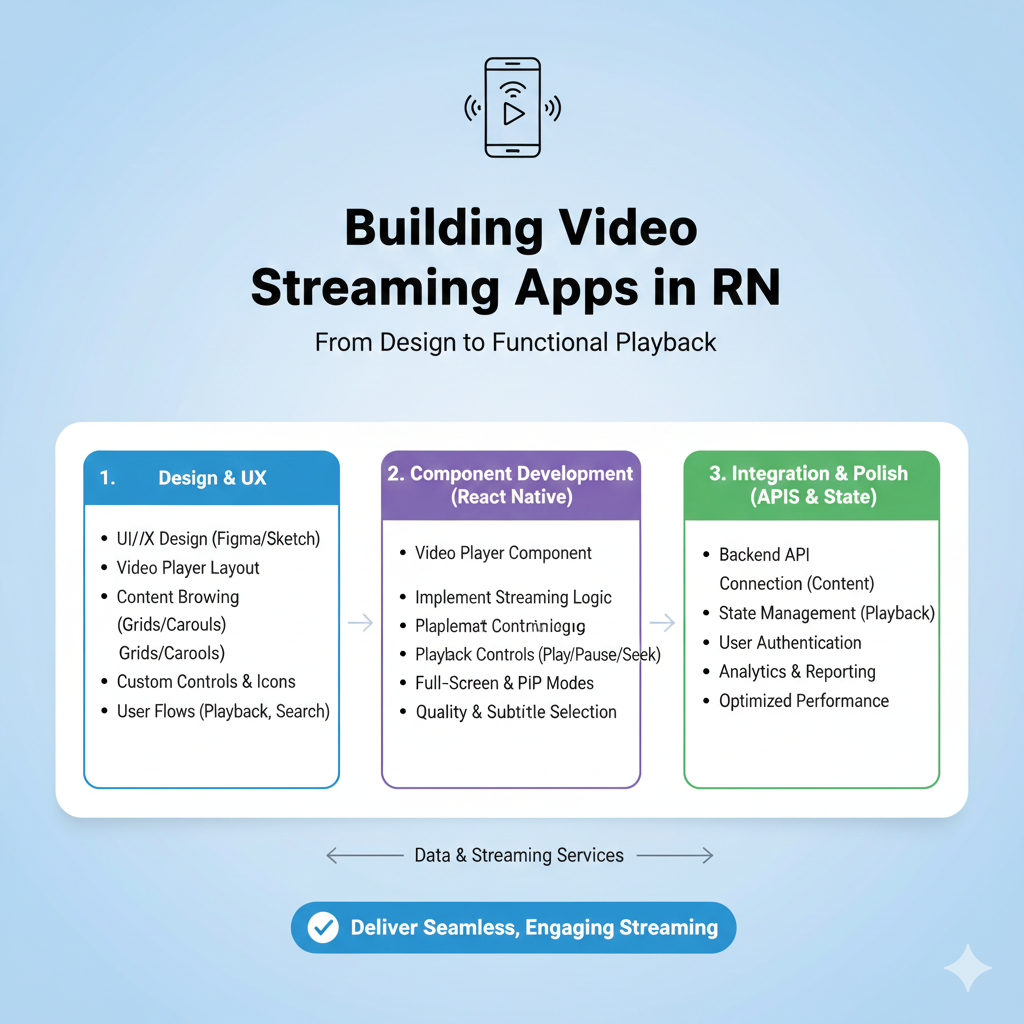
Learn to build live streaming, video playback, and real-time communication features in React Native. Step-by-step tutorial with code examples, performance tips, and library comparisons.
Why React Native is Revolutionizing Video Streaming
Let's be real—video is king in today's mobile world. Whether you're scrolling through Instagram Reels, attending a Zoom meeting, or watching your favorite streamer on Twitch, video content dominates our digital lives. And as developers, we need tools that help us build these experiences quickly and efficiently. That's where React Native comes in clutch.
React Native lets you write code once and deploy it on both iOS and Android, saving you the headache of maintaining two separate codebases . But here's the real tea: building video streaming features used to be complex AF. Not anymore. With the right tools and approach, you can build everything from simple video players to full-blown live streaming platforms.
Understanding Your Video Streaming Options
Before we dive into code, let's break down the types of video streaming you can implement:
On-demand streaming - Like Netflix or YouTube videos
Live streaming - Real-time broadcasts like Twitch or Instagram Live
Real-time communication - Video calls like Zoom or FaceTime
Each has different technical requirements, but React Native has libraries for them all.
The Essential Tools You Need
1. Video Playback Libraries
For basic video playback, react-native-video is the go-to choice. It's an open-source library that handles most playback needs with support for HLS, DASH, and other streaming formats . But if you need something more robust with out-of-the-box features like DRM, ads integration, and advanced UI components, commercial options like Dolby's React Native video player might be worth considering .
2. Live Streaming Solutions
Want to build the next Twitch? Stream's Video SDK provides comprehensive live streaming capabilities with their React Native SDK . Their LivestreamPlayer component makes it surprisingly simple to integrate live video into your app.
3. Real-time Communication
For video calls and peer-to-peer streaming, react-native-webrtc is your best bet. It brings Google's WebRTC technology to React Native, enabling low-latency video and audio communication . Services like Twilio also offer React Native SDKs if you prefer a managed solution .
Step-by-Step: Building a Live Streaming App
Let me walk you through creating a basic live streaming viewer using Stream's SDK. This isn't just theory—you can implement this today.
Step 1: Set Up Your Project
bash
npx react-native init LiveStreamApp
cd LiveStreamApp
Step 2: Install Dependencies
bash
yarn add @stream-io/video-react-native-sdk @stream-io/react-native-webrtc
yarn add react-native-svg @react-native-community/netinfo @notifee/react-native
Step 3: Configure Platform-Specific Settings
For iOS, you'll need to add camera and microphone permissions to your Info.plist:
xml
<key>NSCameraUsageDescription</key>
<string>$(PRODUCT_NAME) would like to use your camera</string>
<key>NSMicrophoneUsageDescription</key>
<string>$(PRODUCT_NAME) would like to use your microphone</string>
For Android, add similar permissions to AndroidManifest.xml .
Step 4: Create Your Streaming Component
Here's a simplified version of what your main component might look like:
javascript
import React from 'react';
import { LivestreamPlayer, StreamVideo, StreamVideoClient } from '@stream-io/video-react-native-sdk';

const apiKey = "YOUR_API_KEY";
const token = "VIEWER_TOKEN";
const callId = "YOUR_STREAM_ID";

const user = { type: "anonymous" };
const client = new StreamVideoClient({ apiKey, user, token });

export default function App() {
  return (
    <StreamVideo client={client}>
      <LivestreamPlayer callType="livestream" callId={callId} />
    </StreamVideo>
  );
}
That's it! Seriously. Of course, production apps need more polish, but this gives you a working live stream viewer in minutes .
Performance Optimization: Don't Let Your App Lag
Video streaming is resource-intensive, so optimization isn't optional—it's essential. Here are some pro tips:
Enable hardware acceleration: On Android, add
android:hardwareAccelerated="true"to your application tag inAndroidManifest.xml.Optimize buffers: Configure buffer settings to balance between quick start and smooth playback:
javascript
bufferConfig={{
  minBufferMs: 2500,
  maxBufferMs: 3000,
  bufferForPlaybackMs: 2500,
  bufferForPlaybackAfterRebufferMs: 2500,
}}
Use a CDN: This is non-negotiable for good streaming performance .
Remove console logs in production: They can seriously bottleneck your JavaScript thread .
Test on real devices: Emulators don't handle video well .
Commercial vs. Open Source: Making the Right Choice
When choosing between open-source libraries like react-native-video and commercial solutions like Dolby's player, consider these factors :
Factor | Open Source ( | Commercial (Dolby) |
|---|---|---|
Cost | Free | Licensing fees |
Features | Basic to moderate | Comprehensive |
Third-party Integrations | Build yourself | Out-of-the-box |
Support | Community-based | Professional support |
Time-to-market | Longer | Faster |
If your needs are simple and you have time to build integrations yourself, open source might work. But if you need DRM, ads, analytics, and premium features from day one, commercial solutions save time and headaches.
Real-World Use Cases: More Than Just Watching Videos
Education platforms - Live classes with interactive Q&A
Telehealth - Doctor-patient consultations
Social media - Stories and live broadcasts
Fitness apps - Live workout sessions
Gaming - Live streams and watch parties
Corporate communications - All-hands meetings and training
Common Pitfalls and How to Avoid Them
Permission issues: Always test permissions on real devices. Users need to grant camera and microphone access, and your app needs to handle denials gracefully.
Network variability: Implement adaptive bitrate streaming (HLS or DASH) so video quality adjusts based on the user's connection .
Battery drain: Video playback is a battery killer. Optimize by pausing playback when the app is in the background and using efficient encoding.
Memory leaks: Always clean up video components and event listeners when unmounting components.
Platform differences: iOS and Android handle video differently. Test thoroughly on both platforms.
Future Trends: Where Video Streaming is Headed
Low-latency streaming for more interactive experiences
AI-enhanced features like automatic highlights and summaries
Spatial audio and immersive formats
Better cross-platform support for TVs, wearables, and AR/VR devices
Level Up Your Skills
Building professional-grade video streaming apps requires solid foundations in both React Native and backend video processing. To learn professional software development courses such as Python Programming, Full Stack Development, and MERN Stack, visit and enroll today at codercrafter.in.
Wrapping Up
Building video streaming apps with React Native in 2025 is more accessible than ever, thanks to powerful SDKs and libraries. Whether you're creating the next big social platform or adding video features to an existing app, the tools exist to make it happen.
Start with a simple implementation, optimize for performance, and always keep the user experience in mind. The video streaming space is evolving rapidly, and React Native gives you the flexibility to evolve with it.
Remember: Great video experiences aren't just about technology—they're about creating connections. Build something amazing.









