Authentication State 101: What It Is, How to Manage It, and Why You Can't Ignore It
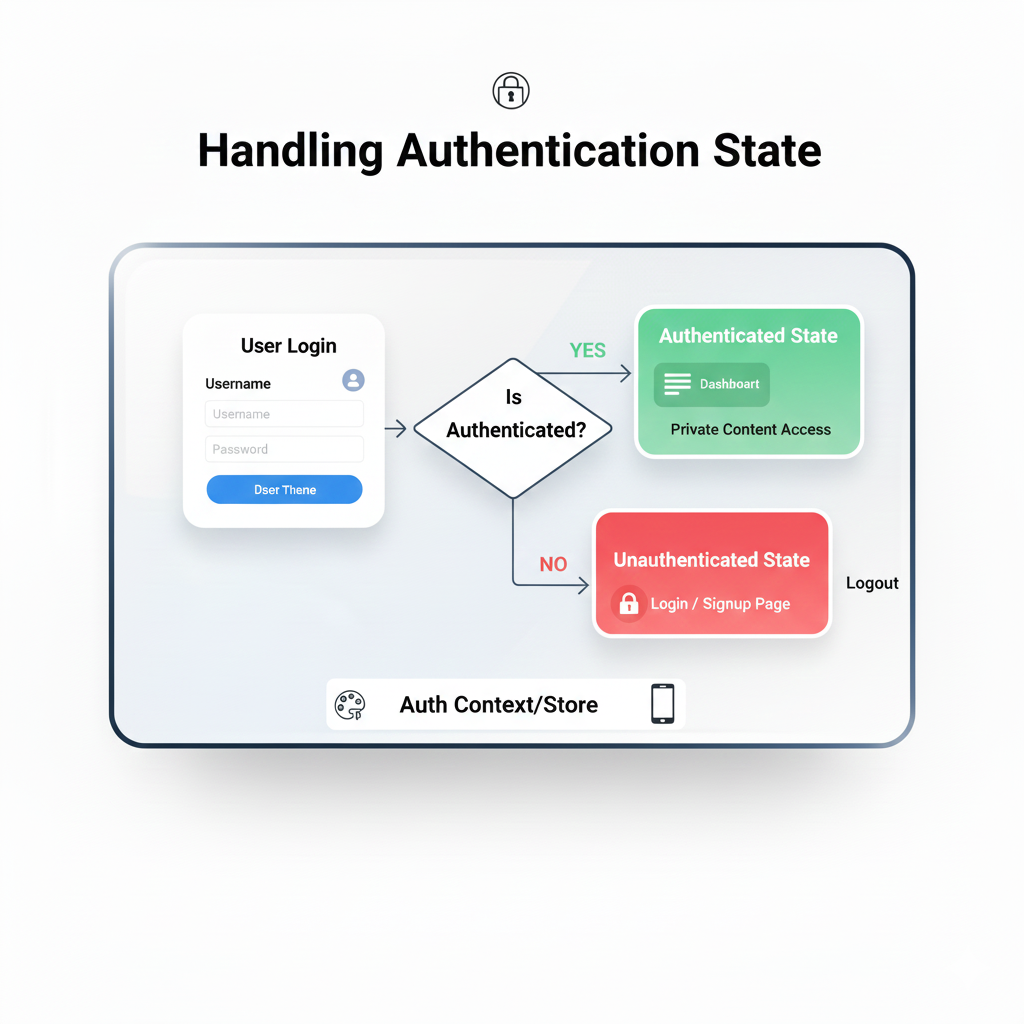
Struggling with login sessions? Our in-depth guide demystifies authentication state. Learn best practices, real-world examples, and how to keep your users securely logged in. Level up your dev skills at CoderCrafter!
Let’s be real. How many times have you angrily tapped “Login” again because an app just… forgot who you were? Or gotten a weird error because your session decided to peace out in the middle of checking out? As a user, it’s a massive pain. As a developer? It’s your nightmare.
That invisible thread that tells your app “Yep, this is legit Sarah, she can see her profile” is called Authentication State. Mess it up, and you ruin the user experience. Get it right, and no one even notices it’s there—which is the whole point.
This isn’t just some dry, theoretical concept. It’s the backbone of every app that has a login screen. So, grab your favorite drink, and let’s unpack this thing properly. No fluff, just the stuff you actually need to know.
What Actually Is Authentication State?
In the simplest terms, authentication state is the answer to one question: “Is this user currently logged in, and who are they?”
Think of it like a concert wristband. When you first arrive (log in), security (your backend) checks your ticket (credentials). If it’s valid, they slap a wristband (authentication token/session) on you. For the rest of the night (your browsing session), you don’t need to show your ticket again. The wristband is your state. It lets you get into the VIP area (protected routes), buy a drink (make authenticated API calls), and have a good time. When you leave the venue (log out), the wristband is cut off—your state is cleared.
Technically, it’s a piece of persistent data, stored either on the server (session IDs) or the client (tokens like JWTs), that your application references before allowing any privileged action.
The Two Main Players: Sessions vs. Tokens
This is where everyone gets tripped up. Here’s the down-low.
1. Session-Based Auth (The OG)
How it works: You log in, the server creates a record (a session) in its database or memory. It sends back only a session ID (usually in a cookie). Your browser automatically sends this cookie with every request. The server checks the ID against its session store to find your user info.
Good for: Traditional server-rendered apps, high-security needs, when you need immediate logout control (just delete the session on the server).
Feels like: A coat check ticket. You give your coat (your login info), you get a ticket. You need your coat, you show the ticket. The venue controls the coats.
2. Token-Based Auth (The Modern MVP)
How it works: You log in, the server generates a signed token (like a JWT – JSON Web Token). This token contains your user info (like user ID) right inside it, in an encoded format. The client stores this token (often in localStorage or a cookie) and sends it in the request headers (like Authorization: Bearer <token>). The server just verifies the token’s signature; it doesn’t need to look anything up in a database for every request.
Good for: SPAs (React, Vue, Angular), mobile apps, APIs, microservices (because it’s stateless).
Feels like: A stamped wristband with your details written in invisible ink. The bouncer (server) just checks the stamp under a light (verifies the signature) to let you in.
Real-World Use Cases: Seeing It in Action
Let’s make this concrete.
E-commerce Site (Session): You add a product to your cart. The server uses your session ID to know which cart database entry is yours. It’s fast and tied to a specific server session.
Single-Page App like Gmail (Token): You open Gmail. The app checks your localStorage for a token. If found, it decodes it on the client side to display your email address instantly, then uses that token to fetch your latest emails from the API. Super snappy.
Mobile Banking App (Often Hybrid): Uses a token (JWT) for API calls but has a very short expiry. The app also uses the device’s secure storage (Keychain/Keystore) to persist a refresh token to get new JWTs silently, balancing security and user convenience.
Best Practices: Don’t Just Wing It
Here’s how to handle auth state without creating a security hole or a UX disaster.
1. Storage Strategy is Key:
For Tokens: Avoid localStorage for highly sensitive apps (vulnerable to XSS attacks). Consider httpOnly cookies (inaccessible to JavaScript, more secure against XSS) but be mindful of CSRF. For most SPAs, using a secure, same-site cookie for your token is a solid choice.
For Sessions:
httpOnly,Secure, andSameSitecookies are your non-negotiable best friends.
2. State Management on the Client:
You need one source of truth for auth state in your frontend. Don’t make every component guess.
Context API (React): Perfect for mid-sized apps. Create an
AuthContextthat holds{ user, isLoading, login, logout }and wrap your app in it.State Management Libraries (Redux, Zustand): Great for complex apps where auth state needs to interact with many other parts of the app (e.g., updating the cart state upon login).
3. Handle the “In-Between” State:
When your app loads, it needs to check for an existing session/token. This takes time. Always implement an initial loading state. Don’t flash the login page for a millisecond before redirecting to the dashboard. It looks broken.
4. Silent Refresh & Token Rotation:
JWTs expire. Don’t just boot the user to login. Use a refresh token (stored very securely) to get a new JWT behind the scenes. This is the secret to apps that stay logged in for weeks.
5. Global Logout Means Global:
Hitting “Logout” should:
Call the server logout endpoint (to invalidate the session/refresh token).
Remove the token/session from client storage.
Clear your application’s auth state (e.g., reset your React context or Redux store).
Redirect to login. Miss a step, and weird bugs happen.
FAQ: Stuff You Actually Google
Q: localStorage vs. cookies for JWT?
A: It’s a trade-off. localStorage is easier but vulnerable to XSS. httpOnly cookies are more secure against XSS but need CSRF protection. For most apps starting out, using an httpOnly cookie for your JWT is the more secure default. Want to dive deep into security trade-offs and implementation? To learn professional software development courses such as Python Programming, Full Stack Development, and MERN Stack, visit and enroll today at codercrafter.in. Our advanced modules cover these architectural decisions in detail.
Q: How often should my JWT expire?
A: Short expiry for access tokens (e.g., 15-60 mins) + a secure refresh token pattern. Never use a JWT that lasts for weeks as your only token.
Q: Where do I store the token on a mobile app?
A: Never in plain text. Use the platform’s secure storage: AsyncStorage is not secure. Use React Native Keychain or Expo SecureStore for React Native, and equivalent secure modules for Flutter/Kotlin/Swift.
Q: My auth state feels messy. Is there a better way?
A: Probably. Libraries like NextAuth.js (for Next.js) or Auth0 SDKs abstract away a lot of this complexity, providing hooks like useSession() that manage the state for you. For learning, implement it from scratch once. For production, consider these tools.
Wrapping It Up: It’s All About Trust
Handling authentication state isn’t the flashiest part of development. You won’t get compliments on your beautiful session manager. But it is fundamental. It’s the gatekeeper of user data and the guardian of user trust. A flaky auth state tells your user, “I don’t have my stuff together.” A seamless, secure one lets them focus on what they came to your app to do.
Start simple. Implement a robust session or token flow. Manage that state consistently on the client. Handle the edge cases (loading, expiry, logout). That alone will put you ahead of half the apps out there.
Feeling like you’ve got the basics but want to build enterprise-grade, secure authentication systems from the ground up? To learn professional software development courses such as Python Programming, Full Stack Development, and MERN Stack, visit and enroll today at codercrafter.in. We don’t just teach syntax—we teach you how to architect real, secure applications that users can trust.
And hey, next time you use an app that doesn’t randomly log you out, you’ll know a developer out there nailed their auth state. Let that developer be you.









