Offline-First Architecture: Why Your App Needs to Work Without the Internet | CoderCrafter
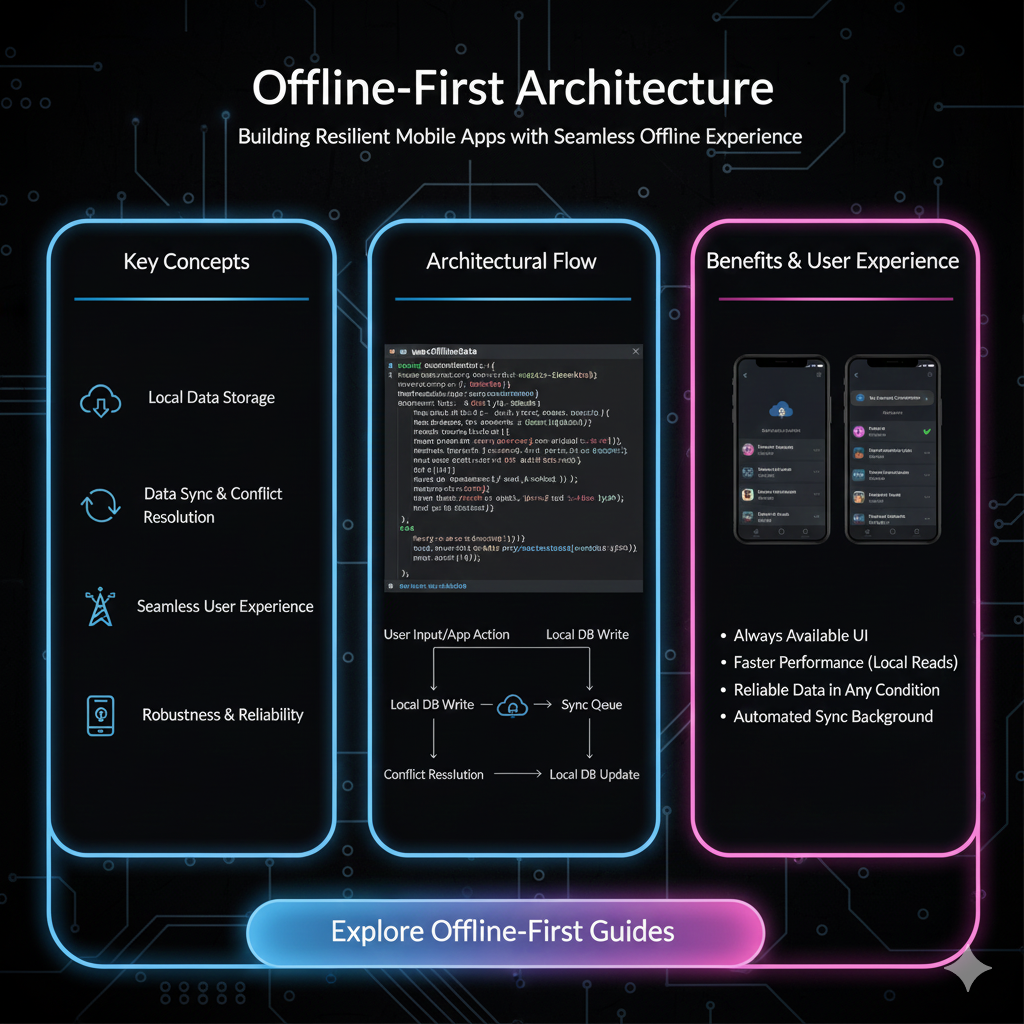
Tired of the "No Internet" error? Master Offline-First Architecture. Learn how to build resilient, user-friendly apps that work anywhere, anytime. Boost engagement and UX today.
Let's be real for a second. How many times today have you frantically tapped a button in an app, only to be met with that soul-crushing spinny icon followed by... nothing? Or worse, the dreaded "No Internet Connection" message.
It’s 2024, and we expect our apps to work. Always. On a shaky subway, in a concrete basement, or on a cross-country flight binge-watching that new series. The truth is, the internet is not always on, and designing our apps as if it is, is a recipe for a frustrating user experience.
That’s where Offline-First Architecture comes in. It’s not just a fancy tech buzzword; it’s a fundamental shift in how we think about building applications. And if you're a developer, it's a concept that can seriously level up your skills.
So, What Exactly is Offline-First Architecture?
In simple terms, Offline-First is a design philosophy where an application is built to function primarily without an internet connection.
Think of it like this:
Traditional App: "I need the internet to work. If it's not there, I'll just show an error and give up."
Offline-First App: "I'm going to work on my own, right here on your device. When I sense an internet connection, I'll quietly sync everything in the background."
The core idea is to treat the local device as your primary data source and the network as an optional, opportunistic enhancement. Instead of treating offline mode as an edge case or an afterthought, you design for it from day one.
How Does It Actually Work? The Magic Behind the Scenes
The magic of Offline-First apps isn't actually magic—it's a smart combination of strategies and technologies. Here’s the tech stack that makes it possible:
Local Data Storage: This is your app's "first responder." Data is stored directly on the user's device. Common choices include:
SQLite: A lightweight, file-based database that's powerful and reliable.
IndexedDB: A low-level API for storing significant amounts of structured data in the browser (perfect for PWAs).
Realm: A mobile database alternative to SQLite that's much easier to work with.
Background Sync: This is the silent hero. When the user performs an action (like sending a message or updating a document), the app stores that action locally. The moment it detects a stable connection, it automatically pushes those pending actions to the server in the background. The user doesn't have to do a thing.
Conflict Resolution (The Brainy Part): This is where things get interesting. What if two users edit the same document while offline? How do you decide which version wins? Strategies include:
"Last Write Wins": Simple but can be destructive.
Operational Transforms (OT): Used in collaborative apps like Google Docs, it merges changes intelligently.
Conflict-free Replicated Data Types (CRDTs): A more advanced method that ensures data converges to the same value across all devices without conflicts.
Service Workers (for Web Apps): A script that your browser runs in the background, separate from a web page. It acts as a proxy, allowing you to cache crucial assets and API responses, so your web app loads instantly, even offline.
Real-World Use Cases: Where Offline-First is a Game-Changer
This isn't just a theoretical concept. You use Offline-First apps every single day.
Note-Taking Apps (Notion, Evernote): You can create, edit, and delete notes on the fly. The app seamlessly syncs when you're back online.
Collaboration Tools (Slack, Trello): You can read past messages, draft new ones, and move cards around. Everything gets sent once the connection is restored.
Ride-Sharing (Uber, Lyft): You can hail a ride even with a single bar of signal. The request is queued locally and transmitted the second it can.
E-commerce (Amazon): You can browse your recently viewed products, add items to your cart, and even wishlist things for later.
Travel Apps (Google Maps): You can download maps of entire cities and use turn-by-turn navigation without a single byte of mobile data.
The common thread? User empowerment. These apps respect the user's time and context, never blocking them from their primary tasks.
Best Practices for Building Offline-First Apps
Jumping into Offline-First development? Keep these pro-tips in mind:
Design Your Data Model Carefully: Think about what data needs to be available offline. Not everything needs to be cached. Prioritize.
Provide Clear User Feedback: Use UI elements to indicate the sync status. A small "synced" icon, a "syncing..." animation, or a "pending" label on a message makes the system feel transparent and trustworthy.
Queue User Actions: Don't let user input get lost. Every action taken offline should be stored in a queue and executed in order when online.
Implement Robust Error Handling: What if the sync fails even when online? Your app should handle retries gracefully and inform the user without crashing.
Test, Test, and Test Some More: Simulate poor network conditions (using browser dev tools or network link conditioners) and test your app's behavior thoroughly. The "offline" experience is now a core feature, not an edge case.
Mastering these patterns is what separates good developers from great ones. It requires a deep understanding of data flow, state management, and asynchronous programming. To learn professional software development courses such as Python Programming, Full Stack Development, and MERN Stack, which cover these advanced architectural concepts in depth, visit and enroll today at codercrafter.in.
FAQs: Your Offline-First Questions, Answered
Q1: Isn't this just caching?
Great question! Caching is a part of it, but it's passive. Offline-First is proactive. Caching is about storing data you've already fetched, while Offline-First is about designing the entire app to function and write data without a connection.
Q2: Does this make the app more complex?
Yes, initially. You're adding layers of complexity with local databases, sync logic, and conflict resolution. However, this upfront investment pays off massively in user satisfaction, engagement, and reliability. It forces you to build a more robust and well-structured application.
Q3: Is Offline-First only for mobile apps?
Not at all! With Progressive Web Apps (PWAs), you can build web applications that are fully Offline-First using Service Workers and IndexedDB. The line between web and native is blurring, and offline capability is a huge reason why.
Q4: What are the biggest challenges?
Conflict resolution is the big one. Designing a system that can merge changes from multiple sources without data loss is non-trivial. Also, managing the local storage footprint and ensuring the sync logic is efficient and battery-friendly can be tricky.
Conclusion: Stop Building for a Perfect World
The internet is not a given. It's a flaky, inconsistent, and sometimes non-existent resource. By embracing an Offline-First mindset, you stop building apps for an ideal, always-connected world and start building them for the real world that your users actually live in.
The result? Happier users, higher engagement, and a product that feels incredibly fast and reliable. It’s no longer a "nice-to-have" but a competitive advantage for any serious application.
Building this kind of sophisticated software requires a solid foundation and guidance. If you're inspired to create resilient, user-centric applications, you need to start with the right skills. At CoderCrafter, our project-based curriculum in Full Stack Development and the MERN Stack is designed to teach you how to architect modern solutions like Offline-First apps. Ready to build the future? Check out our courses at codercrafter.in.









