Nested Navigation Explained: A Complete Guide to Better UX & Cleaner Code | CoderCrafter
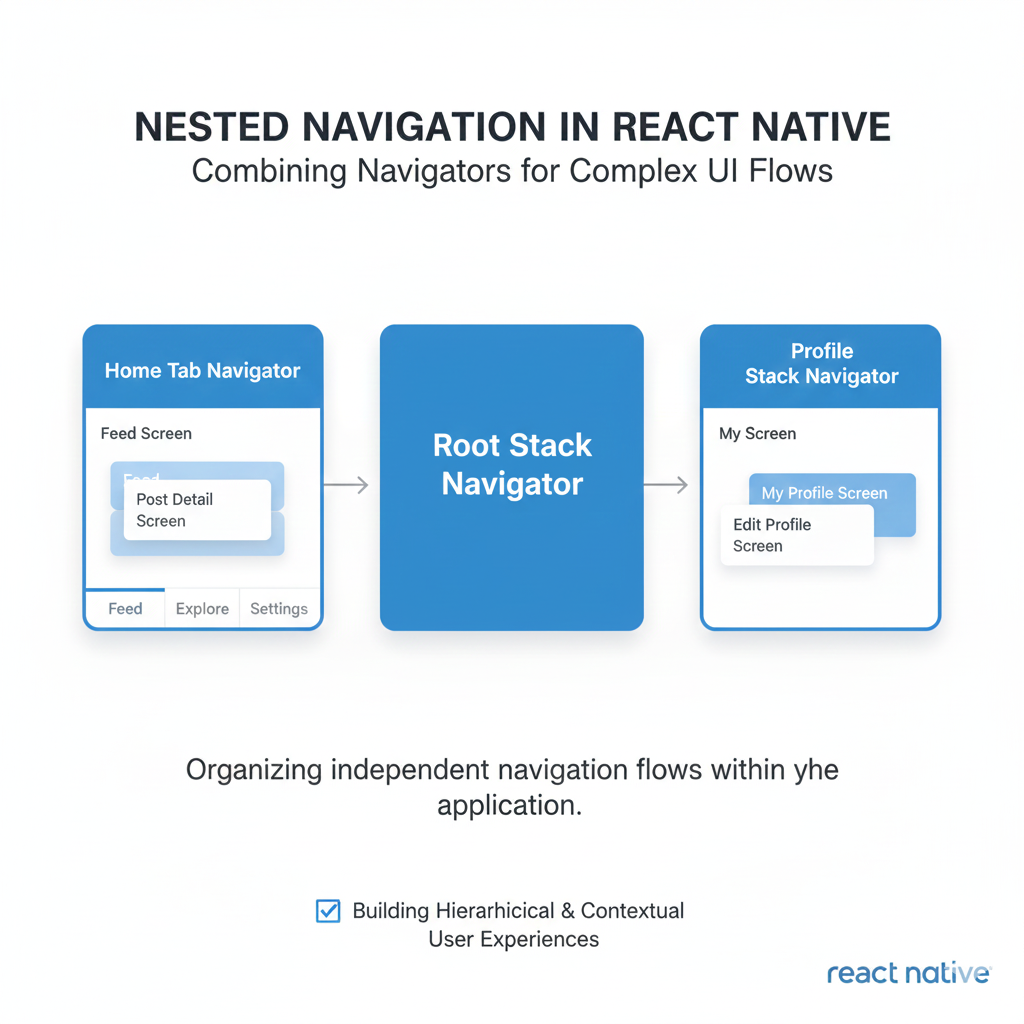
Struggling with complex website menus? Learn what nested navigation is, see real-world examples, and discover best practices for implementation. Elevate your web dev skills with courses from CoderCrafter.
Nested Navigation Explained: A Complete Guide to Better UX & Cleaner Code | CoderCrafter
Nested Navigation: Your Secret Weapon for Building Websites That Don't Confuse People
Let’s be real for a second. How many times have you landed on a website, tried to find something, and felt like you were lost in a maze? You click, you hover, you get a dropdown, then a side menu pops out… it’s a mess. As users, we hate it. As developers and designers, we cause it when we don’t plan our navigation properly.
That’s where nested navigation comes in—it’s not just a fancy term, it’s the backbone of any website or app that has more than five pages. If you're building anything of substance, you need to understand this. Today, we’re going to break it down so you can stop creating confusing menus and start building intuitive, user-friendly pathways.
What Actually is Nested Navigation?
In the simplest terms, think of nested navigation like those Russian nesting dolls (matryoshka dolls). You have a main doll, open it up, and there’s a smaller one inside. In web terms, it’s a menu structure where items are contained within other items. A parent item (like "Services") has children (like "Web Design," "SEO," "Content Strategy"), and those children could potentially have their own sub-items.
It’s a hierarchical system. Instead of dumping 50 links in your header (a surefire way to scare users off), you group related links under logical categories. This is crucial for Information Architecture (IA)—the art of organizing content so humans can actually find it.
The Nested Nav Family Tree:
Parent Item: The top-level category (e.g., "Products").
Child Item: Lives directly under a parent (e.g., "Laptops" under "Products").
Sibling Item: Items on the same level (e.g., "Laptops" and "Phones" are siblings).
Deep Nesting: When you go beyond one level (Parent > Child > Grandchild). Tread carefully here!
Where You See Nested Navigation Every Day (Real-World Examples)
You interact with nested nav all the time. Here’s how the pros do it:
E-Commerce Giants (Amazon): The king of nesting. "All" dropdown reveals departments (Electronics, Home), each revealing categories (Computers, Smart Home), which then list sub-categories (Laptops, Tablets). It’s deep but necessary for their massive inventory.
Software Dashboards (Figma, Notion): Your project sidebar is nested navigation. "Workspace" > "Project Folder" > "Design File" > "Page 1." It keeps complex workspaces organized.
Government/Educational Sites: Necessary for their vast, structured information. "Citizen Services" > "Licenses" > "Driver's License" > "Renewal Form."
Mobile Apps: The hamburger menu often reveals a nested list. Or think of your phone’s Settings app: "Sound & Vibration" > "Ringtone" > "My Sounds."
The goal isn’t to be clever; it’s to be predictable. Users should always know where they are, how they got there, and how to get back.
Best Practices: How to Nested Nav Without Annoying Everyone
Getting the structure right is half the battle. The other half is execution. Follow these rules:
The Three-Click Rule (A Guideline, Not a Law): Users should find what they need within three clicks. Deep nesting violates this. If you’re going more than 2 levels deep, reconsider your site structure.
Progressive Disclosure: Don’t show everything at once. Reveal options (via hover, click, or tap) only when needed. This reduces cognitive load.
Clear Visual Hierarchy: Use indentation, different font weights (bold for parent, regular for child), icons (carets ›), and subtle background changes to show levels. Breadcrumbs are non-negotiable for deep pages ("Home > Blog > Web Dev > This Article").
Mobile-First is Crucial: Hover doesn’t exist here! Use accordions, dedicated "back" buttons, and touch-friendly tap targets. Don’t just shrink your desktop mega-menu.
Accessibility (A11y) is Mandatory: Use proper semantic HTML (
<nav>,<ul>,<li>). Ensure keyboard navigation works (Tab, Arrow keys). Add ARIA labels (aria-expanded,aria-haspopup) for screen readers. An inaccessible menu is a broken menu.Search & Navigation are Partners: For very deep sites, a robust search bar isn’t a luxury—it’s a complement to your nested nav. Some users are "searchers," not "browsers."
The "How-To": A Simple Implementation Snippet
Let’s look at clean, semantic HTML for a nested nav. This is the foundation before you style it.
html
<nav aria-label="Main navigation">
  <ul>
    <li><a href="/">Home</a></li>
    <li>
      <a href="/services/" aria-haspopup="true">Services</a>
      <ul>
        <li><a href="/services/web-dev/">Web Development</a></li>
        <li><a href="/services/seo/">SEO Optimization</a></li>
      </ul>
    </li>
    <li><a href="/about/">About Us</a></li>
    <li>
      <a href="/blog/" aria-haspopup="true">Blog</a>
      <ul>
        <li><a href="/blog/tech/">Tech</a></li>
        <li><a href="/blog/design/">Design</a></li>
      </ul>
    </li>
    <li><a href="/contact/">Contact</a></li>
  </ul>
</nav>
From here, you’d use CSS to style the nested ul to appear on hover or click, and JavaScript to enhance interactivity and accessibility. Remember, the structure comes first.
Speaking of foundational skills, implementing features like this cleanly requires a strong grasp of core web technologies. To learn professional software development courses such as Python Programming, Full Stack Development, and MERN Stack, visit and enroll today at codercrafter.in. Our structured curriculum takes you from basics to building complex, real-world features.
FAQ: Your Nested Navigation Questions, Answered
Q: How deep should my nesting go?
A: As a best practice, try to limit it to 3 levels maximum (Parent > Child > Grandchild). After that, it’s usually a sign your content needs reorganizing or you need a powerful search function.
Q: Hover vs. Click: which is better?
A: It depends. Hover is faster for power users on desktop. Click is unambiguous, better for accessibility, and essential for mobile. Many modern sites use a hybrid: hover to open, click on the parent to navigate to a landing page. Always provide a clear visual cue.
Q: What's the difference between a dropdown and a mega-menu?
A: A dropdown is a simple vertical list of child links. A mega-menu is a large, often multi-column panel that can contain not just links, but images, short descriptions, or even forms. Use mega-menus for very complex sites with many categories (e.g., e-commerce, news portals).
Q: Can nested navigation hurt my SEO?
A: When done correctly with clean HTML and logical internal linking, it helps SEO by helping search engines understand your site's structure. Ensure all nested links are accessible to crawlers (not hidden behind complex JS) and that your site has a clear XML sitemap.
Conclusion: Structure = Confidence
Nested navigation isn’t just a UI component; it’s a reflection of your site’s architecture. Good nesting creates a seamless, confident user experience. People don’t notice it when it’s done well—they just find what they need and get on with their day. And that’s the highest compliment your UX can get.
Start by mapping out your content hierarchy on paper or a whiteboard before you write a single line of code. Think like a user, not just a developer. Test it, get feedback, and iterate.
Mastering these fundamental concepts is what separates hobbyists from professional developers. If you're looking to build that professional depth, from core programming logic to intricate front-end systems like this, the right guidance is key. To learn professional software development courses such as Python Programming, Full Stack Development, and MERN Stack, visit and enroll today at codercrafter.in. Build the skills to craft not just code, but exceptional digital experiences.









