Google Cloud APIs Explained: The Cheat Code for Developers
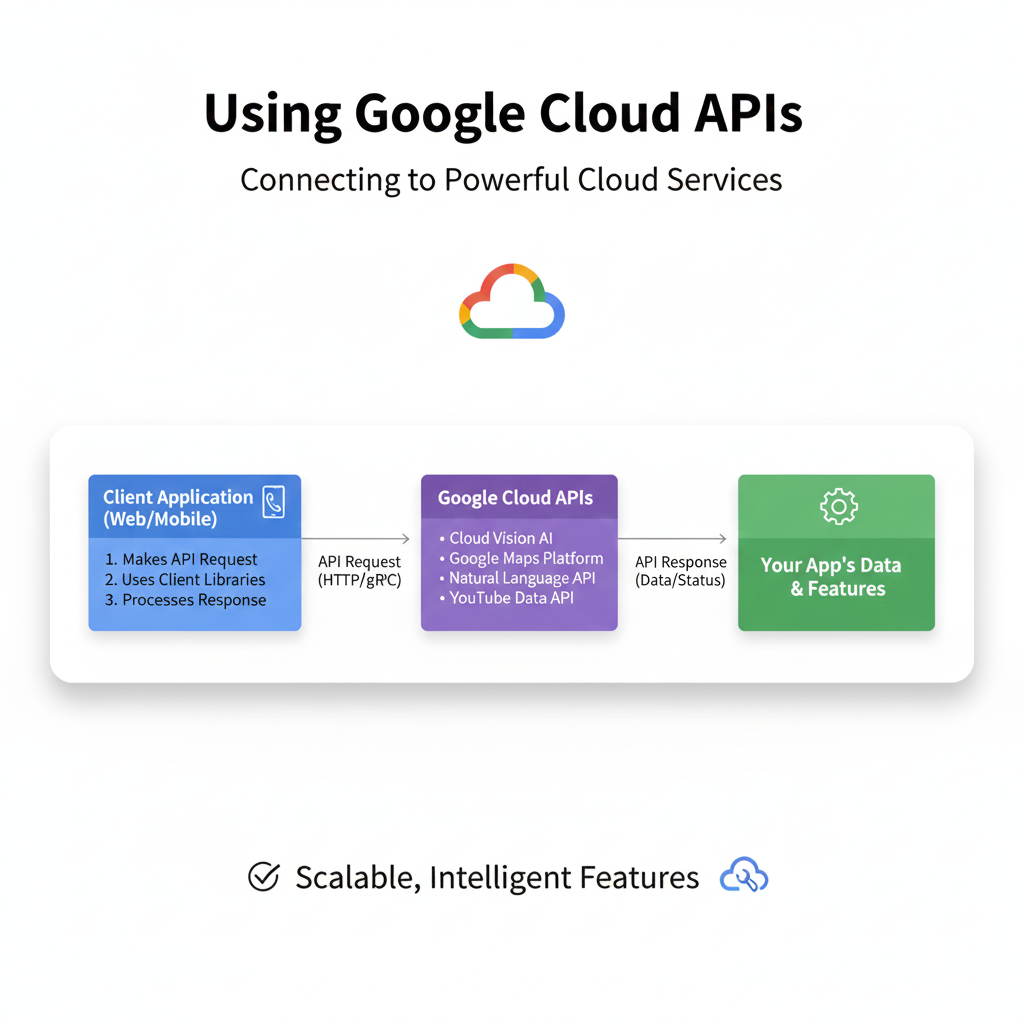
Want to add AI to your apps without the PhD? Our in-depth guide to Google Cloud APIs shows you how with real examples, best practices, and FAQs. Start building smarter software.
Unlocking the Cloud: Your No-BS Guide to Google Cloud APIs (And Why You Should Care)
Let’s be real. When you hear “Google Cloud APIs,” your brain might instantly go to, “Ugh, corporate jargon,” or “That’s for big tech companies with massive budgets.” Right? I get it. But what if I told you these APIs are basically magical cheat codes that let you, a developer (or aspiring one), tap into the same insane computing power and smart tools that Google uses for Search, Maps, and Gmail?
Think of it like this: You don’t need to build your own power plant to get electricity. You just plug into the grid. Google Cloud APIs are that grid for intelligence and infrastructure. Whether you want to add speech-to-text to your app, analyze emotions in text, spot objects in a video, or handle a trillion database operations without breaking a sweat, there’s probably an API for that.
In this deep dive, we’re cutting through the fluff. We’ll talk about what these APIs actually are, see them in action with real examples you can relate to, and figure out how you can start using them—even if you’re just building your side-project portfolio.
What Are Google Cloud APIs, Really?
In the simplest terms, an API (Application Programming Interface) is a messenger. It takes your request, runs it to a system, and brings back the response. A Google Cloud API is a pre-built, managed messenger for a specific Google Cloud service.
Instead of you spending months building a machine learning model to translate languages, you send text to the Cloud Translation API, and bam, you get it back in Spanish, Hindi, or Klingon. Google handles the monstrously complex model, the updates, and the scaling. You handle making awesome apps.
These APIs are grouped into families:
AI & Machine Learning APIs (The “Wow” Factor): Vision, Natural Language, Speech-to-Text, Translation. These are ready-to-use AI.
Compute & Infrastructure APIs (The “Muscle”): Compute Engine API, Cloud Storage API. These let you manage virtual machines and storage programmatically.
Data & Analytics APIs (The “Brains”): BigQuery API, Firestore API. For crunching data and managing databases.
Management APIs (The “Control Panel”): These let you automate and manage your cloud resources themselves.
Seeing is Believing: Real-World Examples You’ve Probably Used
Don’t think this is abstract. You interact with apps powered by these every day.
The Content Moderator: Imagine a new social media app. Users upload millions of images daily. Manually checking for inappropriate content? Impossible. Using the Cloud Vision API’s
SAFE_SEARCH_DETECTIONfeature, the app automatically flags, blurs, or blocks unsafe content in real-time. That’s not a futuristic concept—it’s a few lines of code.The Customer Insight Miner: A startup analyzes customer support tickets. Instead of a human reading thousands of emails, they use the Natural Language API to perform Sentiment Analysis. The API scans each ticket and scores sentiment from -1.0 (angry rant) to +1.0 (ecstatic praise). Now, they can instantly prioritize the furious customers and identify what’s making people happy.
The Global Blogger: A travel blogger records audio notes on their phone. Their custom CMS uses the Speech-to-Text API to transcribe hours of audio into editable text in minutes. Then, they use the Translation API to offer that blog post in multiple languages, growing their global audience without being fluent in ten languages.
From Idea to Implementation: A Tiny Hands-On Example
Let’s make this concrete. Suppose you’re building a tool for designers (like a CMYK to RGB converter—handy for switching between print and digital color models). Now, you want to add a cool feature: extract the dominant color palette from any uploaded image.
You could write complex color quantization algorithms... or you could use the Cloud Vision API.
Here’s a conceptual snippet (Python, because it’s clean):
python
# Pseudocode vibe - the actual setup needs authentication
from google.cloud import vision

def extract_colors(image_path):
    client = vision.ImageAnnotatorClient()
    with open(image_path, 'rb') as image_file:
        content = image_file.read()

    image = vision.Image(content=content)
    response = client.image_properties(image=image)
    colors = response.image_properties_annotation.dominant_colors.colors

    print("Top Colors:")
    for color in colors[:5]:
        rgb = (color.color.red, color.color.green, color.color.blue)
        # You could now convert this RGB to CMYK using your own logic!
        print(f"  RGB: {rgb}, Proportion: {color.pixel_fraction:.2%}")
See the power? In ~10 lines, you’ve delegated a massively complex task. The mental energy you saved can now be spent on the core, unique value of your application—like making an awesome, user-friendly color converter tool.
Speaking of which, if you're into building practical web tools like color converters, you need a solid foundation in development. To learn professional software development courses such as Python Programming, Full Stack Development, and MERN Stack, visit and enroll today at codercrafter.in. It’s the perfect place to build the skills that let you leverage APIs like these.
Best Practices: Don’t Just Use It, Use It Right
Authentication is Key: Never hardcode API keys in your app’s frontend. Use environment variables or a secure backend service. Google Cloud uses service accounts—treat those credentials like your main password.
Cost Awareness: Most APIs have a generous free tier, but costs scale with usage. Always check pricing, implement caching for frequent identical requests, and set up budget alerts in the Google Cloud Console.
Error Handling is Non-Negotiable: APIs fail. Networks glitch. Always wrap your API calls in try-catch blocks, plan for retries (with exponential backoff), and have a fallback UX for your users.
Start with Client Libraries: Google provides SDKs for popular languages (Python, Node.js, Go, Java). Use them! They handle authentication, networking, and data formatting, making your life infinitely easier than raw HTTP calls.
FAQs: The Stuff You’re Actually Wondering
Q: Is this only for huge enterprises?
A: Absolutely not. The free tier and pay-as-you-go model make it perfect for indie devs, startups, and students. Your first 60 minutes of Speech-to-Text each month are free—that’s plenty for a prototype.
Q: Do I need to be an AI/ML expert?
A: Zero. Zilch. Nada. That’s the whole point of these pre-trained APIs. You’re a developer using a tool, not a data scientist training a model.
Q: How does this compare to AWS or Azure APIs?
A: All three giants offer similar services. Google is often praised for its cutting-edge AI/ML APIs and its data analytics stack (BigQuery). The best choice often depends on what else you’re using and personal preference. Try the free tiers of each!
Q: What’s the biggest beginner mistake?
A: Skipping the fundamentals to chase the shiny AI APIs. Ensure you understand basic cloud concepts (projects, IAM roles, billing) first. A solid foundation in programming is crucial. To build that foundational strength in modern web development, check out the structured courses at codercrafter.in.
Conclusion: Your Superpower Awaits
Google Cloud APIs democratize technology. They turn what used to be PhD-level problems into a simple API call. They let you, as a developer, stand on the shoulders of a giant and build things that were science fiction a decade ago.
The barrier to entry isn’t money or a massive team—it’s knowledge. It’s knowing these tools exist and having the coding skills to stitch them together into something novel and useful.
So, start small. Pick one API that excites you. Maybe the Vision API to build an image organizer, or the Text-to-Speech API to create audio versions of your blog posts. Build a small project. Get your hands dirty. The cloud isn’t a distant, abstract place anymore—it’s a toolbox, and the APIs are your most powerful wrenches and hammers.
The future is built by those who can leverage the best tools. Go start building.









