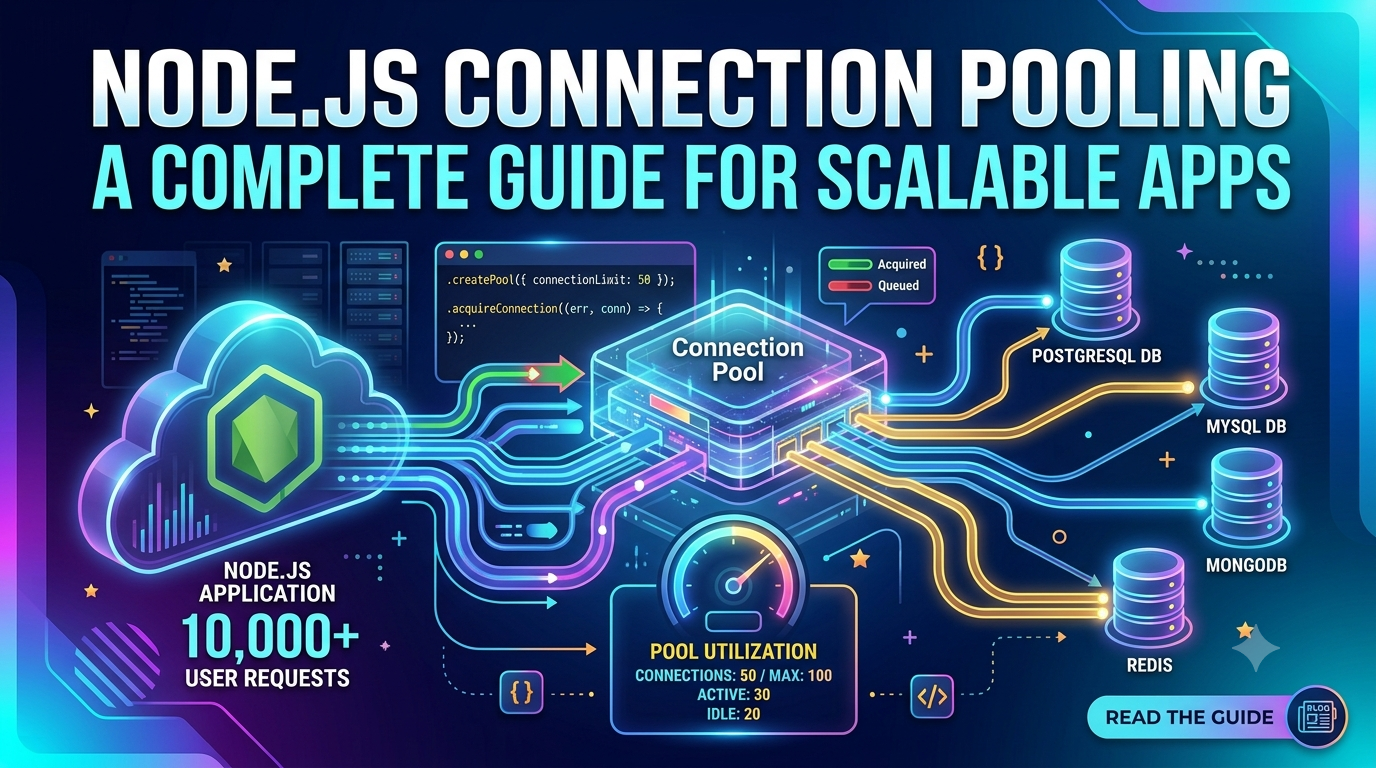
Learn how to implement and tune database connection pools in Node.js with PostgreSQL (pg module), MySQL2, and Mongoose, including pool sizing formulas, timeout handling, and monitoring.
Every database query in a Node.js application requires a connection. Creating a new TCP connection for every query introduces 20–100ms of overhead and quickly exhausts database server limits under load. Connection pooling solves this by maintaining a set of reusable connections that your application borrows, uses, and returns — eliminating the per-query connection cost and enabling thousands of concurrent requests to share a small, controlled number of database connections.
This guide covers connection pooling for the three most common Node.js database scenarios: PostgreSQL with the pg module, MySQL with mysql2, and MongoDB with Mongoose.
Why Connection Pooling Matters
Without pooling, here's what happens on a busy endpoint:
// ❌ Anti-pattern: new connection per request
app.get('/users', async (req, res) => {
  const client = new pg.Client(connectionString);
  await client.connect();           // 20-80ms TCP handshake every time
  const result = await client.query('SELECT * FROM users');
  await client.end();               // connection torn down
  res.json(result.rows);
});
Under 100 concurrent requests, you're opening 100 simultaneous TCP connections. PostgreSQL's default max_connections is 100 — you'll hit the limit and start getting connection errors.
PostgreSQL Connection Pooling with pg
import pg from 'pg';

// Create pool once at application startup — never inside request handlers
const pool = new pg.Pool({
  connectionString: process.env.DATABASE_URL,
  max: 20,                  // maximum connections in the pool
  idleTimeoutMillis: 30000, // close idle connections after 30s
  connectionTimeoutMillis: 2000, // fail if no connection available within 2s
  maxUses: 7500,            // retire a connection after 7500 uses (prevents memory leaks)
});

// Expose for use in query helpers
export default pool;// ✅ Correct: use pool.query for simple queries
app.get('/users', async (req, res) => {
try {
const result = await pool.query('SELECT id, name, email FROM users LIMIT $1', [50]);
res.json(result.rows);
} catch (err) {
res.status(500).json({ error: 'Database error' });
}
});
// ✅ For transactions: get a client, release it in finally
app.post('/transfer', async (req, res) => {
const client = await pool.connect();
try {
await client.query('BEGIN');
await client.query(
'UPDATE accounts SET balance = balance - $1 WHERE id = $2',
[req.body.amount, req.body.fromId]
);
await client.query(
'UPDATE accounts SET balance = balance + $1 WHERE id = $2',
[req.body.amount, req.body.toId]
);
await client.query('COMMIT');
res.json({ success: true });
} catch (err) {
await client.query('ROLLBACK');
throw err;
} finally {
client.release(); // ALWAYS release back to pool
}
});Pool Event Monitoring
pool.on('connect', (client) => {
  logger.info('New connection opened to PostgreSQL');
});

pool.on('acquire', (client) => {
  logger.debug('Client acquired from pool');
});

pool.on('remove', (client) => {
  logger.info('Connection removed from pool');
});

pool.on('error', (err, client) => {
  logger.error({ err }, 'Unexpected error on idle pool client');
});

// Periodic pool health logging
setInterval(() => {
  logger.info({
    totalCount: pool.totalCount,
    idleCount: pool.idleCount,
    waitingCount: pool.waitingCount,
  }, 'Pool stats');
}, 30_000);
MySQL Connection Pooling with mysql2
import mysql from 'mysql2/promise';

const pool = mysql.createPool({
  host: process.env.DB_HOST,
  user: process.env.DB_USER,
  password: process.env.DB_PASSWORD,
  database: process.env.DB_NAME,
  connectionLimit: 20,        // max simultaneous connections
  queueLimit: 0,              // 0 = unlimited queue
  waitForConnections: true,   // queue requests when pool is full
  connectTimeout: 10000,      // 10s connection timeout
  enableKeepAlive: true,
  keepAliveInitialDelay: 10000,
});

export default pool;

// Usage
const [rows] = await pool.query('SELECT * FROM users WHERE id = ?', [userId]);
// mysql2 auto-releases the connection after each pool.query() call
MySQL Transactions with mysql2 Pool
const connection = await pool.getConnection();
try {
  await connection.beginTransaction();
  await connection.execute(
    'INSERT INTO orders (user_id, total) VALUES (?, ?)',
    [userId, total]
  );
  const [result] = await connection.execute(
    'UPDATE inventory SET quantity = quantity - ? WHERE product_id = ?',
    [quantity, productId]
  );
  if (result.affectedRows === 0) throw new Error('Product not found');
  await connection.commit();
} catch (err) {
  await connection.rollback();
  throw err;
} finally {
  connection.release(); // crucial — or pool exhausts
}
MongoDB Connection Pooling with Mongoose
Mongoose manages its own internal connection pool. The key is calling connect once at startup:
// db/connect.js
import mongoose from 'mongoose';

let isConnected = false;

export async function connectToDatabase() {
  if (isConnected) return; // reuse existing connection

  await mongoose.connect(process.env.MONGODB_URI, {
    maxPoolSize: 10,          // max connections in the pool
    minPoolSize: 2,           // keep at least 2 connections open
    serverSelectionTimeoutMS: 5000,
    socketTimeoutMS: 45000,
    maxIdleTimeMS: 30000,     // close idle connections after 30s
    compressors: 'zlib',      // compress wire protocol
  });

  isConnected = mongoose.connection.readyState === 1;
  console.log('MongoDB connected, pool size:', mongoose.connection.getClient().options.maxPoolSize);
}

// For serverless (Next.js/Vercel): use a cached connection
// to survive warm Lambda restarts
declare global {
  var mongoose: { conn: typeof mongoose | null; promise: Promise | null };
}
global.mongoose = global.mongoose || { conn: null, promise: null };
Pool Sizing: The Formula
The classic formula from database literature:
// PostgreSQL recommended formula (from PostgreSQL wiki)
pool_size = (number_of_cores * 2) + number_of_spindle_disks

// For a 4-core server with SSD:
pool_size = (4 * 2) + 1 = 9

// For a 4-core server with 2 HDDs:
pool_size = (4 * 2) + 2 = 10
Key insight: A pool of 10 connections on a 4-core machine typically outperforms a pool of 100. Why? Database servers spend most time on I/O, not CPU. More connections just mean more context switching, not more throughput.
In practice for Node.js apps:
Development: 5–10 connections
Small production: 10–20 connections
High-traffic with PgBouncer: 2–5 connections per app instance (PgBouncer multiplexes)
Serverless (Lambda/Vercel): Use PgBouncer or RDS Proxy — each function instance has 1 connection
PgBouncer: Connection Pooling at the Database Level
For high-traffic apps, add PgBouncer between Node.js and PostgreSQL. PgBouncer multiplexes thousands of app connections onto a small number of PostgreSQL server connections:
# pgbouncer.ini
[databases]
mydb = host=127.0.0.1 port=5432 dbname=mydb

[pgbouncer]
listen_port = 6432
listen_addr = *
auth_type = md5
pool_mode = transaction     # best for Node.js — connection released after each transaction
max_client_conn = 1000      # total client connections PgBouncer accepts
default_pool_size = 25      # PostgreSQL connections per database
Graceful Shutdown with Connection Pools
// Drain pool on shutdown so in-flight queries complete
async function shutdown() {
  console.log('Draining connection pool...');
  await pool.end(); // waits for all clients to be released
  console.log('Pool drained. Shutting down.');
  process.exit(0);
}

process.on('SIGTERM', shutdown);
process.on('SIGINT', shutdown);
Common Mistakes
Creating a new pool per request — the pool must be created once at module load time and shared across all requests
Not releasing clients after transactions — always use
try/finally { client.release() }Setting pool size too large — more connections slow things down beyond a point; start with 10–20
No connection timeout — without
connectionTimeoutMillis, requests queue forever if the pool is full under loadNot monitoring pool stats — high
waitingCountmeans your pool is too small or queries are too slow
Conclusion
Connection pooling is not optional for production Node.js applications — it's foundational. Create your pool once at startup, size it conservatively (10–20 connections typically), always release connections in finally blocks, monitor pool metrics, and add PgBouncer for very high-traffic scenarios or serverless deployments. With these practices in place, your Node.js app will handle thousands of concurrent database operations without exhausting connections or introducing query latency.