Confused by XML to XSL converters? Our detailed guide breaks it down in plain English. Learn what it really means, see real-world examples, explore best practices, and try free online tools. Master your data presentation today.
Alright, let's be real. When someone says "XML to XSL converter," your brain might just… glitch. It sounds like some ancient tech wizardry, the kind of thing that lives in a dusty server room. But what if I told you this is actually the secret sauce behind a ton of the clean, styled data you see every day? From snagging that concert ticket PDF to browsing a dynamically generated product catalog, XSL is working behind the scenes.
Let's break it down, without the jargon overload.
First Things First: What Even Are XML and XSL?
Think of XML (eXtensible Markupup Language) as the ultimate, super-organized data nerd. It’s all about structure and meaning.
xml
<product>
  <name>Quantum Coffee Mug</name>
  <price>29.99</price>
  <inStock>true</inStock>
</product>
It's not "pretty," but it's perfect. It tells a computer exactly what everything is. The downside? For us humans, it's a bit of a snooze-fest to look at.
Enter XSL (eXtensible Stylesheet Language). This is the creative stylist. XSL, and specifically XSLT (XSL Transformations), takes that rigid XML data and says, "I got you. Let me make this presentable."
An XSLT stylesheet is a set of rules—a recipe, really—that says: "Take the <name> tag, make it a big heading. Take the <price>, make it green and bold. Let's put this in an HTML table, or maybe a sleek card layout."
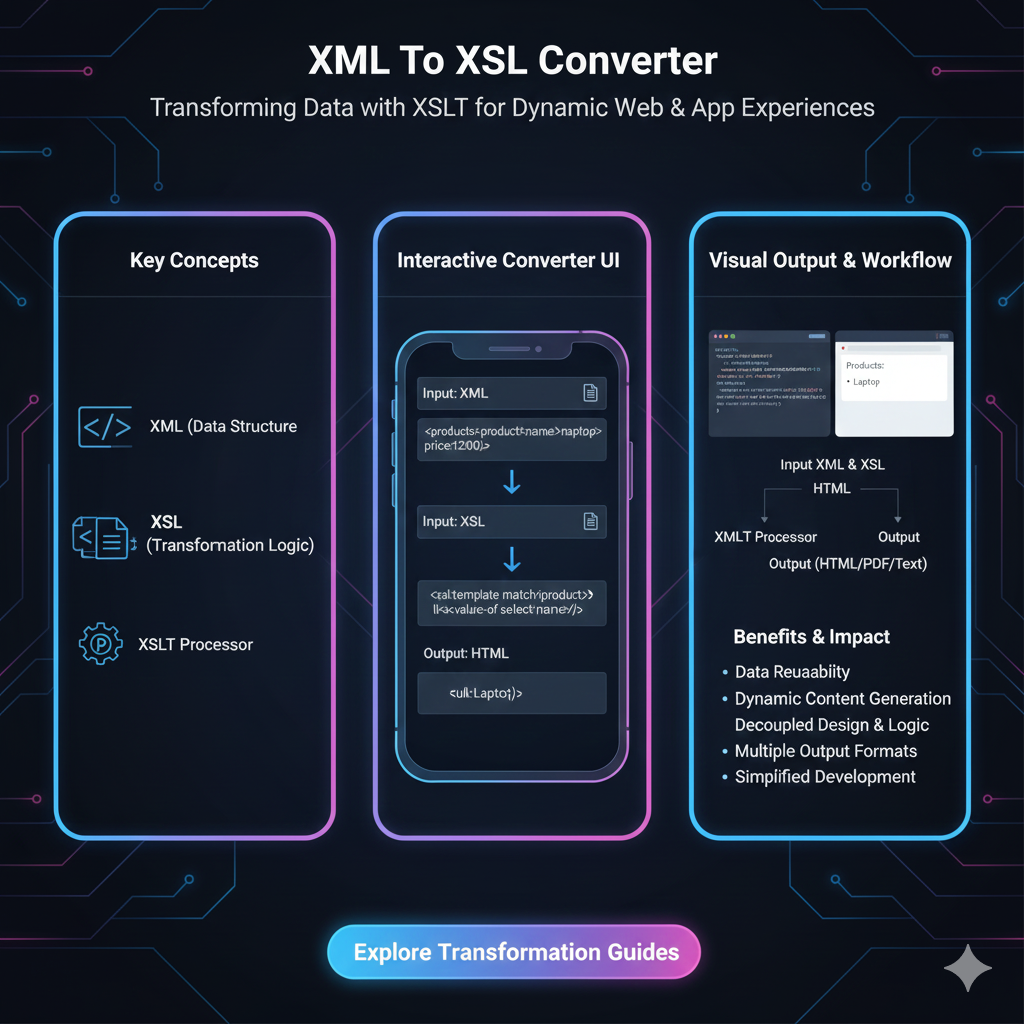
So, an XML to XSL "Converter" isn't a magic box that changes XML into XSL. That's a common mix-up. It's a tool or process that applies an XSLT stylesheet to your XML data to transform it into something else—usually HTML for web pages, but also PDF, plain text, or even a different XML structure.
How It Actually Works: The Magic Behind the Curtain
You don't just "convert" XML to XSL. You perform a transformation. Here’s the simple flow:
You Have: Your raw data (
data.xml).You Write: Your styling/transformation rules (
style.xsl).You Use: A processor (the "converter" engine). This could be:
A built-in browser feature (for web display).
A server-side tool (like Apache Xalan, Saxon, or libxslt).
An online conversion tool (great for quick jobs).
You Get: A brand new, formatted document (
output.htmloroutput.pdf).
Real-World Use Cases: Where You've Definitely Seen This
This isn't just academic. It's everywhere.
E-commerce Product Feeds: A company's internal product database is in dense XML. To display thousands of products on their website, they use XSLT to transform that XML into beautiful, consistent HTML product cards. This is way more efficient than manually coding each page.
Documentation & Publishing: Tech companies often write documentation in a structured XML format like DITA. A single XSLT can transform that one source into a web help portal, a printable PDF manual, and an EPUB ebook. Write once, publish everywhere.
Data Integration & APIs: You receive supplier data in their weird XML format. You need it in your system's format. Write an XSLT to map their
<itemID>to your<sku>and rearrange the structure. It's a data translator.News Aggregators: RSS feeds are XML! Your favorite news reader app uses XSLT-like logic (or its modern equivalents) to take that raw RSS feed and present it in a clean, readable list with images and summaries.
Best Practices: Don't Just Do It, Do It Right
If you're diving into this, keep these tips in mind:
Start Simple: Your first XSLT shouldn't try to rebuild Google. Start with a small XML file and try to output a simple HTML list or table.
Embrace Templates: The power of XSLT is in its template-based approach. Think in patterns: "Whenever you see a
<product>, do this."Keep Logic in XSLT, Data in XML: Your XML should be pure data. All the "if this, then that" logic and presentation decisions belong in the XSLT. This is the core of the separation of concerns.
Test with a Processor: Don't guess. Use a reliable processor like Saxon (the gold standard) to test your transformations. Many IDEs (like Oxygen XML) have them built-in.
Consider Modern Alternatives (For New Projects): For new web projects, XSLT on the browser is somewhat legacy. Modern developers often use:
JavaScript Frameworks (React, Vue): Fetch XML via an API, then use JavaScript to render it dynamically.
Server-Side Templating (Django, Laravel): Transform the XML on the server before sending HTML to the browser.
CSS for Styling XML: You can actually link a CSS file to an XML file for basic styling in browsers, but it's very limited compared to XSLT's power.
FAQs: Quick Fire Round
Q: Is XSLT dead?
A: Absolutely not! It's mature and incredibly powerful for server-side data processing, publishing pipelines, and legacy system integration. It's less common for front-end web work, but it's far from obsolete.
Q: Can I convert XML to XSL online for free?
A: Yes! Tools like FreeFormatter's XSLT Transformer, XMLGrid.net, or TutorialsPoint's online tool are fantastic for quick tests and small jobs. Just paste your XML and XSL, hit transform, and see the result instantly.
Q: What's the difference between XSL, XSLT, and XSL-FO?
A:
XSL: The umbrella term.
XSLT (XSL Transformations): The part that transforms and rearranges XML.
XSL-FO (XSL Formatting Objects): A specific vocabulary for creating paginated, print-ready documents like PDFs.
Q: Is it hard to learn XSLT?
A: It has a learning curve. It's a declarative language (you describe the result), not a procedural one (you list the steps), which can be a mind-bend at first. But for basic transformations, you can get going pretty quickly.
Conclusion: The Stylish Power Couple
XML and XSLT remain a rock-solid, powerful partnership for managing and presenting structured data. While the front-end web world has evolved, the core concept they champion—separating your raw data from its presentation—is a fundamental principle of good software design.
Whether you're automating a report, migrating a ton of data, or building a multi-format publishing system, understanding how to transform XML with XSL is a seriously valuable skill. It’s the bridge between data that machines love and presentations that humans enjoy.
So next time you download a perfectly formatted invoice or filter a product list online, remember: there's a good chance a quiet, efficient XSLT transformation is making it all look so easy.
Ready to try it? Grab a simple XML file (maybe even create your own), find an online XSLT transformer, and start playing. The best way to get it is to, well, transform some data yourself!